

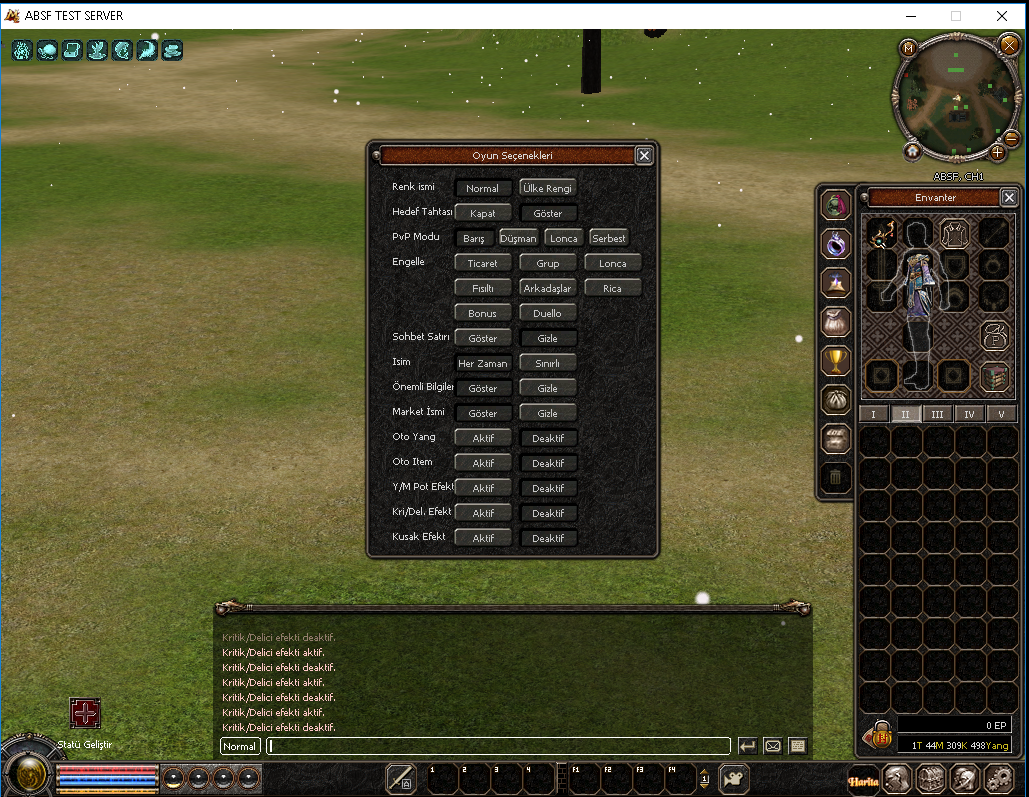
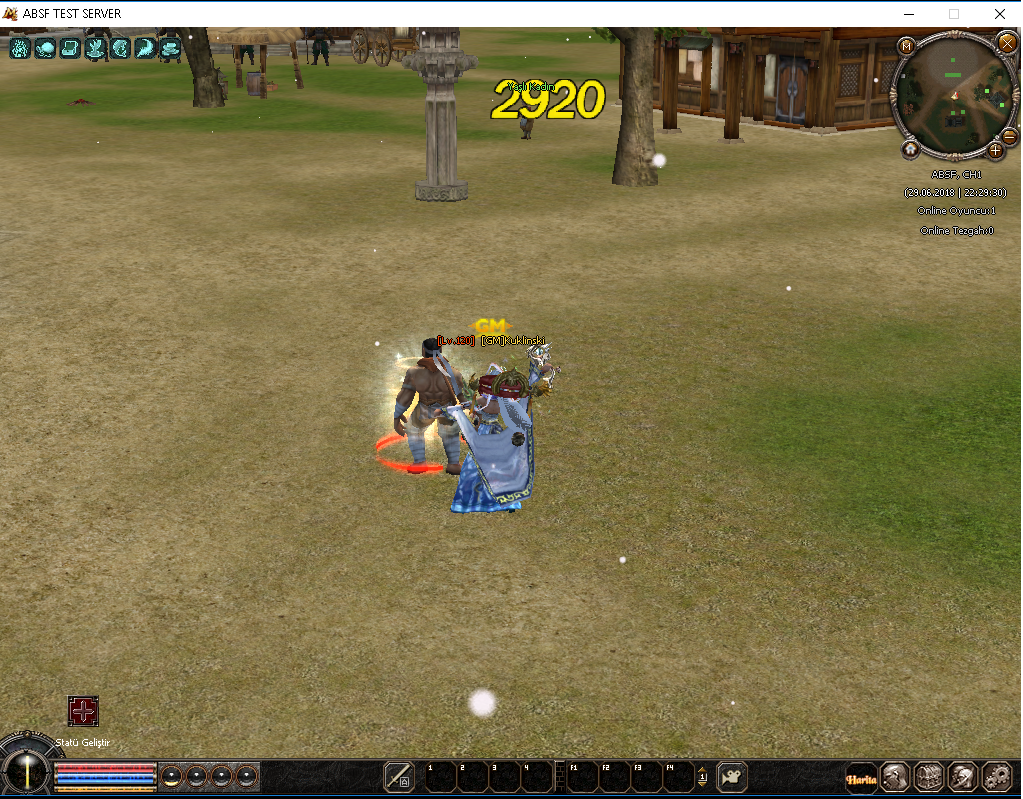
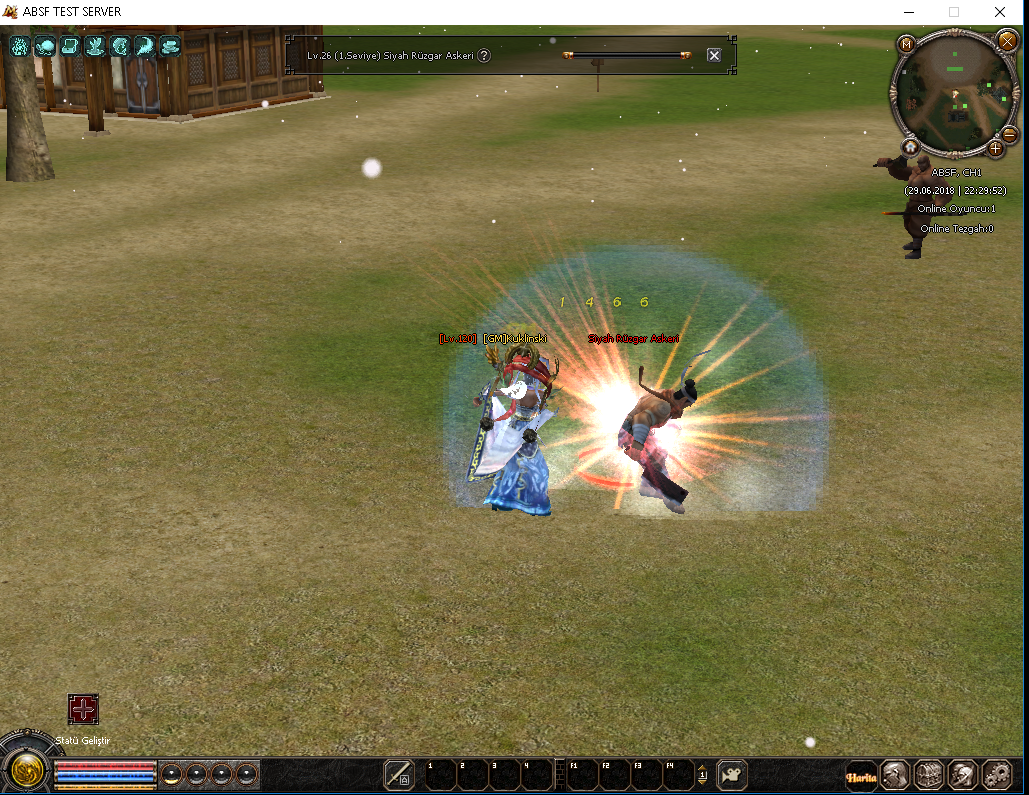
Sistem resimde görüldüğü gibi oyun seçeneklerindeki kritik delici efektleri için aktif deaktif tuşlarına basılarak kritik delici efektlerinin görülüp görülmemesini sağlıyor..
İNDİRME LİNKİ:
Ziyaretçiler için gizlenmiş link,görmek için üye olmalısınız!
Giriş yap veya üye ol.
VIRUSTOTAL:
Ziyaretçiler için gizlenmiş link,görmek için üye olmalısınız!
Giriş yap veya üye ol.
Metin2 Özel Sunucu Geliştirme: C++ ve Python ile Oyun Seçeneklerinde Kritik/Del. Aktif-Deaktif Sistemi
Metin2 özel sunucularında geliştirme yaparken, oyuncuların deneyimini doğrudan etkileyen pek çok sistem vardır. Bunlardan birisi de Oyun Seçenekleri kısmında yer alan Kritik Vuruş veya Silah Hasarı gibi seçeneklerin açılıp kapatılabilmesidir. Bu tür sistemlerin kontrolü hem C++ tarafında hem de Python tarafında yapılabilir. Bu yazıda, C++ ve Python kullanarak bu sistemin nasıl kurulacağını ve yönetileceğini ele alacağız.
Oyun Seçenekleri Nedir?
Metin2 oyununda Oyun Seçenekleri bölümü, oyuncuların kişiselleştirme yapabildiği bir arayüzdür. Burada ses seviyesi, efektler, vuruş sesleri gibi ayarlar bulunur. Ancak özel sunucularda geliştirilen sistemlerle bu menüye özel butonlar eklenebilir. Örneğin Kritik Aktif/Deaktif seçeneği gibi. Bu seçenek sayesinde oyuncu, dilediği zaman kritik vuruş özelliğini açıp kapatabilir.
C++ Tarafında Sistem Yapısı
C++ tarafında bu sistemin çalışması için öncelikle gamecore üzerinde bir ayar tanımlamak gerekir. Oyuncunun tercih ettiği durum, karakter veritabanında saklanmalıdır. Örneğin player_data tablosuna bir critical_active alanı eklenmelidir. Bu alan 0 veya 1 değerini alarak aktif mi değil mi olduğunu belirtir.
Ayrıca client ile server arasında bu bilgiyi aktarmak için özel bir packet tanımlanmalıdır. Bu paket sayesinde oyuncu arayüzden butona bastığında C++ tarafında bu değişiklik yakalanır ve veritabanına yazılır.
Python Tarafında Arayüz Entegrasyonu
Python tarafında uiscript dosyasına özel bir checkbox veya toggle butonu eklenmelidir. Bu buton, oyuncunun Kritik Vuruş özelliğini açıp kapamasını sağlar. Butonun tıklanma olayı yakalandığında, ilgili Python fonksiyonu çağrılır. Bu fonksiyon sayesinde packet gönderilir ve C++ tarafında durum güncellenir.
py root dizinindeki system.py dosyasında bu ayar tutulabilir. Bu dosya, oyuncu giriş yaptığında yüklenen ayarları kontrol eder ve kritik açık mı kapalı mı diye karar verir.
Avantajlar ve Kullanım Alanları
Bu sistem özellikle PvP sunucularında büyük kolaylık sağlar. Oyuncular diledikleri zaman kritik vuruşu devre dışı bırakarak daha adil bir mücadele ortamı yaratabilirler. Ayrıca bazı özel etkinliklerde bu özelliği zorunlu kılmak da mümkündür.
Aynı sistem Silah Hasarı, Zırh Hasarı veya Hayalet Modu gibi başka özellikler için de genişletilebilir. Bu sayede sunucu sahipleri daha özelleştirilmiş sistemler geliştirebilirler.
Sonuç
Metin2 özel sunucularında Oyun Seçenekleri kısmına eklenecek bu tür sistemler, kullanıcı memnuniyetini artırır. C++ ve Python entegrasyonu ile geliştirilen Aktif/Deaktif sistemleri, sunucu yönetimini daha esnek hale getirir. Martysama gibi geliştirici kaynakları kullanarak bu tür projeleri kolayca hayata geçirebilirsiniz.
Metin2 Private Server Development: Critical/Del. Active/Inactive System in Game Options with C++ and Python
In Metin2 private server development, many systems directly affect the player experience. One of these is the ability to enable or disable features such as Critical Hit or Weapon Damage within the Game Options. These types of controls can be implemented on both the C++ and Python sides. In this article, we will explain how to implement and manage such a system using C++ and Python.
What Are Game Options?
In Metin2, the Game Options section is a customizable interface for players. It includes settings like volume, effects, sound of hits, etc. However, in private servers, custom buttons can be added to this menu. For instance, options like Critical Active/Inactive can be created. This allows players to turn the critical hit feature on or off at any time.
System Structure in C++
To make this system work in C++, you first need to define a setting in the gamecore. The player's preference must be stored in the character database. For example, a field named critical_active should be added to the player_data table, which holds values 0 or 1 to indicate whether the option is active or not.
Additionally, to transfer this information between the client and server, a custom packet must be defined. When the player clicks the button from the UI, this packet ensures the change is captured on the C++ side and saved into the database.
UI Integration in Python
In Python, a custom checkbox or toggle button must be added to the uiscript file. This button allows the player to activate or deactivate the Critical Hit feature. When clicked, the corresponding Python function is called, sending a packet to update the status on the C++ side.
The setting can be held in the system.py file located under py root. This file checks loaded preferences upon login and determines if critical is enabled or disabled.
Benefits and Use Cases
This system offers great convenience especially in PvP servers. Players may disable critical hit to create a fairer combat environment. Additionally, making this feature mandatory during special events is also possible.
The same system can be extended for other features like Weapon Damage, Armor Damage, or Ghost Mode. This enables server owners to develop more customized systems.
Conclusion
Adding such Game Options systems to Metin2 private servers increases user satisfaction. Systems developed through C++ and Python integrations such as Active/Inactive switches make server management more flexible. You can easily implement such projects using developer resources like Martysama.

