

//FPS Düşürmez, Python resim yüklemez
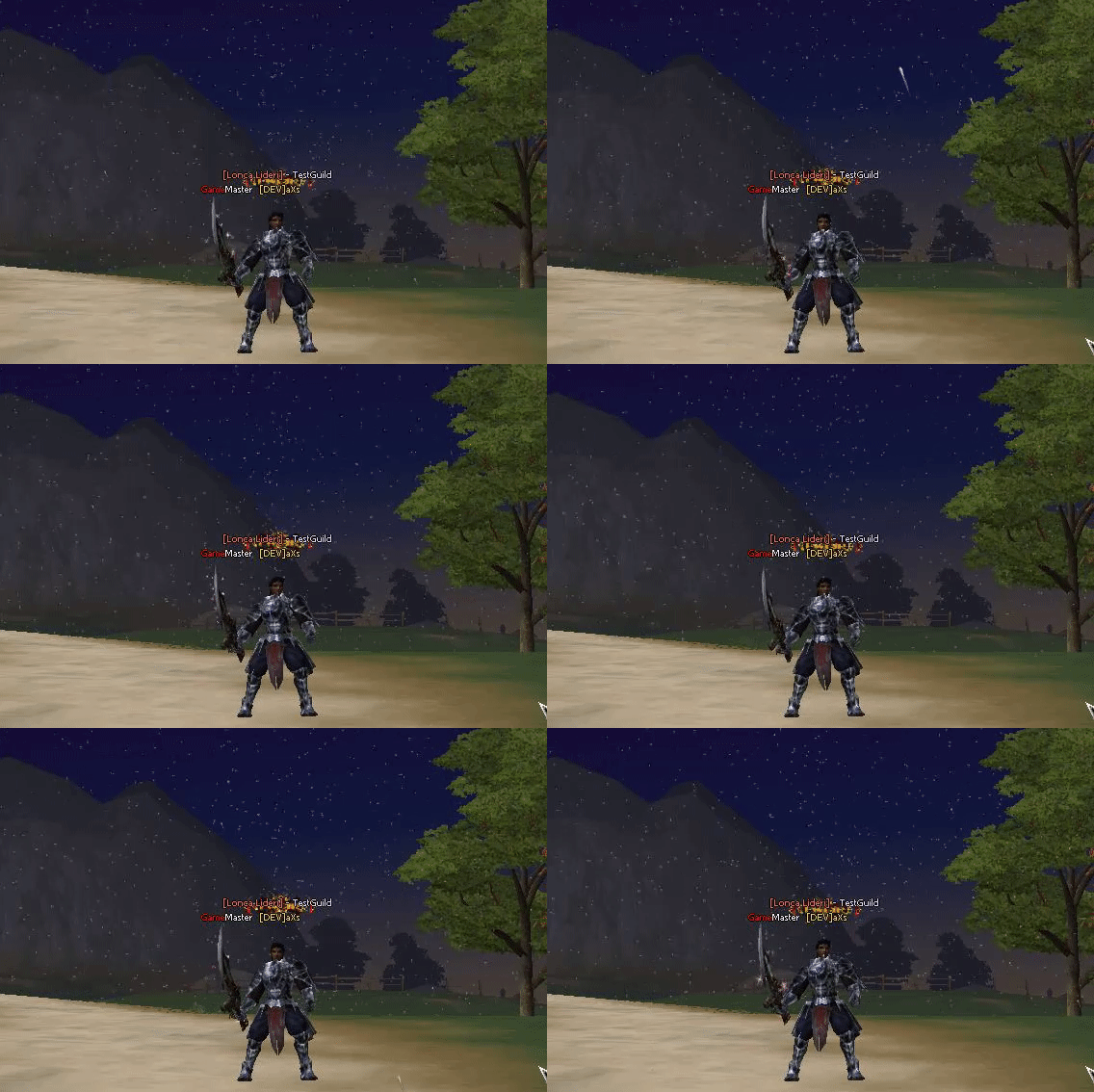
Python'da kullanacağınız komut: background.EnableRain(0-1)
Arşiv içindekileri gerekli yerlere atın.
Kod:
// Arat: m_pyBackground.RenderSnow(); // Altına ekle: m_pyBackground.RenderRain();
Kod:
// Arat: m_SnowEnvironment.Destroy(); // Altına ekle: m_RainEnvironment.Destroy(); // Arat: m_SnowEnvironment.Create(); // Altına ekle: m_RainEnvironment.Create(); // Arat: m_SnowEnvironment.Update(D3DXVECTOR3(fCenterX, -fCenterY, fCenterZ)); // Altına ekle: m_RainEnvironment.Update(D3DXVECTOR3(fCenterX, -fCenterY, fCenterZ)); // Arat: m_SnowEnvironment.Deform(); // Altına ekle: m_RainEnvironment.Deform(); // Arat: void CPythonBackground::RenderSnow() { m_SnowEnvironment.Render(); } // Altına ekle: void CPythonBackground::RenderRain() { m_RainEnvironment.Render(); } // Arat: void CPythonBackground::EnableSnowEnvironment() { m_SnowEnvironment.Enable(); } void CPythonBackground::DisableSnowEnvironment() { m_SnowEnvironment.Disable(); } // Altına ekle: void CPythonBackground::EnableRainEnvironment() { m_RainEnvironment.Enable(); } void CPythonBackground::DisableRainEnvironment() { m_RainEnvironment.Disable(); }
Kod:
// Arat: #include "../gamelib/SnowEnvironment.h" // Altına ekle: #include "../GameLib/RainEnvironment.h" // Arat: void RenderSnow(); // Altına ekle: void RenderRain(); // Arat: void EnableSnowEnvironment(); void DisableSnowEnvironment(); // Altına ekle: void EnableRainEnvironment(); void DisableRainEnvironment(); // Arat: CSnowEnvironment m_SnowEnvironment; // Altına ekle: CRainEnvironment m_RainEnvironment;
Kod:
// Arat: PyObject * backgroundEnableSnow(PyObject * poSelf, PyObject * poArgs) { int nIsEnable; if (!PyTuple_GetInteger(poArgs, 0, &nIsEnable)) return Py_BadArgument(); CPythonBackground& rkBG = CPythonBackground::Instance(); if (nIsEnable) rkBG.EnableSnowEnvironment(); else rkBG.DisableSnowEnvironment(); return Py_BuildNone(); } // Altına ekle: PyObject * backgroundEnableRain(PyObject * poSelf, PyObject * poArgs) { int nIsEnable; if (!PyTuple_GetInteger(poArgs, 0, &nIsEnable)) return Py_BadArgument(); CPythonBackground& rkBG = CPythonBackground::Instance(); if (nIsEnable) rkBG.EnableRainEnvironment(); else rkBG.DisableRainEnvironment(); return Py_BuildNone(); } // Arat: { "EnableSnow", backgroundEnableSnow, METH_VARARGS }, // Altına ekle: { "EnableRain", backgroundEnableRain, METH_VARARGS },
Ziyaretçiler için gizlenmiş link,görmek için üye olmalısınız!
Giriş yap veya üye ol.
Ziyaretçiler için gizlenmiş link,görmek için üye olmalısınız!
Giriş yap veya üye ol.
Client İçin Yağmur (Rain) Eklentisi
Metin2 özel sunucularında kullanıcı deneyimini artırmak için birçok görsel efekt kullanılabilir. Bu efektlerden biri olan yağmur sistemi, oyun atmosferini ciddi anlamda destekler. Özellikle gece zamanları ya da belirli haritalarda yağmur efekti kullanmak, oyuncuların derinliği hissetmesini sağlar. Bu yazıda, Client tarafında yağmur efekti eklemek için gerekli adımları ve teknik detayları ele alacağız.
Yağmur Sisteminin Amacı ve Faydaları
Metin2 özel sunucularında yağmur efekti, sadece estetik bir amaçla değil aynı zamanda atmosfer yaratmak için de oldukça önemlidir. Oyuncuların dikkatini çekecek ve oyun içinde daha fazla kalmalarını sağlayacak görsel detaylar, sunucu kalitesini artırır. Yağmur efekti, özellikle PvP haritalarında veya belirli hava durumları için kullanılabilir.
Teknik Uygulama
Yağmur efekti için öncelikle client tarafında bazı dosyalarda değişiklik yapılması gerekir. Bu değişiklikler genellikle C++ tabanlıdır ve martysama gibi popüler sistemler üzerinden entegre edilebilir. İlk olarak, yağmur ses efekti ve grafik dosyaları projeye dahil edilmelidir. Ardından, oyun içinde yağmur efektinin aktif edilip edilmeyeceği belirlenmelidir. Bu işlem genellikle uiscript dosyası üzerinden yapılır.
Kaynak Kod Entegrasyonu
Client src üzerinde çalışırken yağmur efekti için özel fonksiyonlar yazmak gerekir. Bu fonksiyonlar, game core ile entegre çalışarak efektin doğru şekilde render edilmesini sağlar. Örneğin, rain.cpp ve rain.h dosyaları oluşturulabilir. Bu dosyalar sayesinde yağmur efektinin başlatılması, durdurulması ve kontrolü sağlanabilir.
Dikkat Edilmesi Gerekenler
Yağmur efekti performans üzerinde etkili olabileceğinden dolayı, düşük sistemlerde bu efektin otomatik olarak devre dışı bırakılması iyi bir tercih olabilir. Ayrıca, efektin sadece belirli haritalarda veya belirli saatlerde aktif olması ayarlanabilir. Bu, hem performans hem de atmosfer açısından faydalıdır.
Python ve Py Root Entegrasyonu
Bazı geliştiriciler, yağmur efekti için Python tabanlı sistemler kullanabilir. Bu durumda py root ve py gui kullanarak yağmur efekti ayarlarını menü üzerinden kontrol etmek mümkündür. Böylece sunucu yöneticileri, yağmur efektini aktif etme veya devre dışı bırakma işlemlerini daha kolay yönetebilirler.
Sonuç
Client tarafında yağmur efekti eklemek, Metin2 özel sunucularında kullanıcı deneyimini ciddi şekilde artırır. Doğru entegrasyon ile hem atmosfer hem de performans dengesi sağlanabilir. Bu efekti uygulamak isteyen geliştiriciler için kaynak kod örnekleri ve forum destekleri oldukça faydalı olacaktır.
Rain Extension for Client
In Metin2 private servers, many visual effects can be used to enhance the user experience. One of these effects, the rain system, significantly supports the game atmosphere. Using rain effects especially during night times or on certain maps allows players to feel more depth. In this article, we will cover the steps and technical details required to add a rain effect on the client side.
Purpose and Benefits of the Rain System
In Metin2 private servers, the rain effect serves not only aesthetic purposes but also creates atmosphere. Visual details that attract players' attention and encourage them to stay longer in the game improve the server's quality. The rain effect can be particularly useful in PvP maps or during specific weather conditions.
Technical Implementation
To implement the rain effect, modifications must first be made to certain files on the client side. These changes are generally based on C++ and can be integrated through popular systems like martysama. Initially, sound and graphic files for the rain effect must be included in the project. Then, it should be determined whether the rain effect will be activated within the game. This process is usually handled via the uiscript file.
Source Code Integration
When working on client src, custom functions must be written to handle the rain effect. These functions integrate with the game core to ensure proper rendering of the effect. For instance, rain.cpp and rain.h files can be created. These files allow for starting, stopping, and controlling the rain effect.
Considerations
Since the rain effect can impact performance, it might be wise to disable it automatically on low-end systems. Additionally, configuring the effect to activate only in certain maps or at specific times can benefit both performance and atmosphere.
Integration with Python and Py Root
Some developers may use Python-based systems for the rain effect. In such cases, py root and py gui can be utilized to control rain effect settings via menus. This allows server administrators to manage the activation or deactivation of the rain effect more easily.
Conclusion
Adding a rain effect on the client side significantly enhances the player experience in Metin2 private servers. With correct integration, a balance between atmosphere and performance can be achieved. Source code examples and forum support will be highly beneficial for developers wishing to implement this effect.
