

Normalde TC offline shop 4 taş ile uyumsuz, reboot attıktan sonra vs. item 3 taşa düşüyor buyrun fixi;
NOT: HAZIR DOSYA
VT(İKİSİ BİR ARADA GÜNCELLENDİ)
22 NİSAN 2018 PAZAR
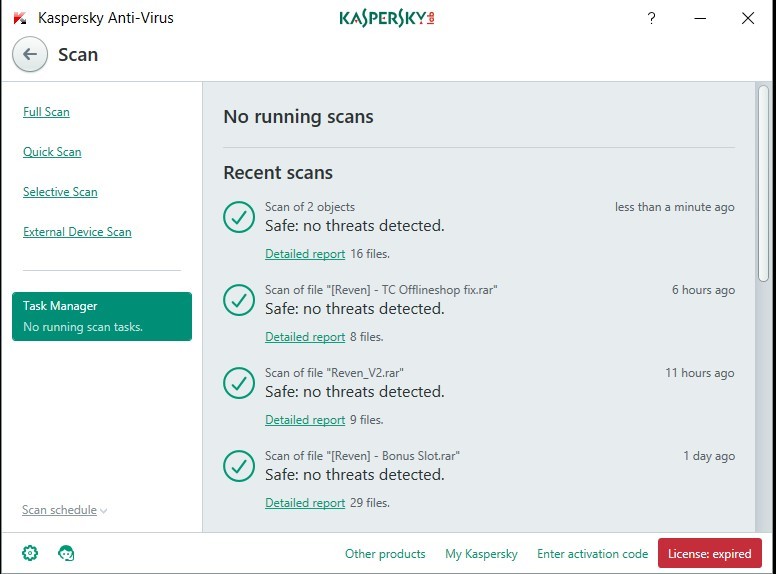
Metin2 özel sunucularında offline shop sistemi kullanan geliştiriciler arasında sıkça karşılaşılan sorunlardan birisi, TC Offline Shop kullanılırken bazı itemlerin (özellikle 4 Taş gibi itemlerin) doğru şekilde işleme alınmamasıdır. Bu durum, kullanıcıların mağaza üzerinden 4 Taş alamamasına veya sistemsel hatalara neden olabilir. Bu yazıda, TC Offline Shop kullanırken karşılaşılan 4 Taş sorununu çözen bir Fix sunacağız. Bu fix sayesinde sunucunuzda offline shop üzerinden 4 Taş satışını güvenli ve sorunsuz şekilde sağlayabilirsiniz.
Sorun Nedir?
TC Offline Shop, Metin2 özel sunucularında oldukça yaygın bir şekilde kullanılan bir mağaza sistemidir. Ancak bu sistem, bazı item türlerinin (özellikle 4 Taş gibi özel itemlerin) doğru tanımlanmasında eksiklik gösterebilir. Özellikle 4 Taş gibi itemlerde ID, sub_type veya stackable ayarlarında problem yaşanabiliyor. Bu da kullanıcıların item satın alma işlemi sırasında hata almasına veya itemin doğrudan envanterine gitmemesine neden olmaktadır.
Fix Uygulama Adımları
Öncelikle, 4 Taş iteminin doğru tanımlandığından emin olmalısınız. Bunun için item_proto dosyasında 4 Taş iteminin tanımının kontrol edilmesi gerekir. Ayrıca, item_attr dosyasında bu itemin niteliklerinin doğru tanımlanmış olması önemlidir. Eğer item_proto dosyanızda 4 Taş için özel bir tanımlama yoksa, bu fix kapsamında manuel olarak eklemeniz gerekebilir.
Python Tarafında Ayarlar
TC Offline Shop genellikle Python tabanlıdır. Py dosyalarında item ID'leri kontrol edilerek, 4 Taş için özel bir işlem yapılması sağlanmalıdır. Özellikle offlineshop.py veya benzeri dosyalarda item ID'lerinin kontrol edildiği fonksiyonlara 4 Taş için özel bir kontrol eklenmelidir. Bu, kullanıcıların 4 Taş satın alırken doğrudan envanterine gitmesini sağlayacaktır.
C++ Tarafında Düzenlemeler
Sunucu tarafında çalışan game_src içindeki item handling sistemlerinde de 4 Taş için özel bir kontrol yapılmalıdır. Özellikle item_manager.cpp gibi dosyalarda item ID'leri kontrol edilirken 4 Taş için özel bir kontrol eklenmesi gerekir. Bu sayede, offline shop üzerinden yapılan işlemler sırasında item doğru şekilde işlenecektir.
Test ve Uygulama
Fix uygulandıktan sonra, sunucunuzda test işlemleri yapmanız önerilir. Test kullanıcıları ile offline shop üzerinden 4 Taş satın alma işlemi gerçekleştirilerek, itemin doğru şekilde kullanıcıya geçip geçmediği kontrol edilmelidir. Aynı zamanda, itemin envanterde doğru görünmesi ve kullanılabilir durumda olması sağlanmalıdır.
Bu fix, Metin2 özel sunucularında offline shop sistemi üzerinde çalışan geliştiriciler için önemli bir destektir. Sistemsel olarak doğru tanımlanmayan itemler, kullanıcı deneyimini olumsuz etkileyebilir. Bu nedenle, 4 Taş gibi özel itemler için özel kontrollerin eklenmesi büyük önem taşır.
Dilerseniz, bu fixin tam kodlarını veya örnek dosya yapılarını Metin2 Lobby üzerinden inceleyebilir ve kendi sunucunuza uyarlayabilirsiniz.
One of the common problems encountered by developers using the offline shop system on Metin2 private servers is that certain items (especially items like 4 Gems) are not processed correctly when using TC Offline Shop. This issue can prevent users from purchasing 4 Gems through the shop or cause system errors. In this article, we will present a Fix that resolves the 4 Gems issue when using TC Offline Shop. With this fix, you can safely and seamlessly offer 4 Gems sales via offline shop on your server.
What Is The Problem?
TC Offline Shop is a widely used store system in Metin2 private servers. However, this system may lack proper support for certain types of items (especially special items like 4 Gems). Issues can occur with ID, sub_type, or stackable settings for 4 Gems, leading users to encounter errors during purchase or preventing the item from going directly into their inventory.
Implementation Steps of the Fix
Firstly, ensure that the 4 Gems item is properly defined. For this, check the definition of the 4 Gems item in the item_proto file. Additionally, make sure its attributes are correctly defined in the item_attr file. If there is no specific definition for 4 Gems in your item_proto file, you might need to manually add it within the scope of this fix.
Settings in Python Side
TC Offline Shop is generally based on Python. Item IDs should be checked in Py files, and a specific process for 4 Gems must be added. Especially in functions inside offlineshop.py or similar files where item IDs are verified, a specific control for 4 Gems should be implemented. This ensures that when users purchase 4 Gems, the item goes directly into their inventory.
Modifications in C++ Side
In the server-side game_src, special checks must also be performed in item handling systems for 4 Gems. Specifically, in files like item_manager.cpp, where item IDs are checked, a custom control for 4 Gems should be added. This way, operations made through the offline shop will process the item correctly.
Testing and Application
After applying the fix, it is recommended to perform testing on your server. By performing a 4 Gems purchase operation via offline shop with test accounts, verify whether the item correctly transfers to the user. Also ensure that the item appears correctly in the inventory and remains usable.
This fix is an important support for developers working on offline shop systems in Metin2 private servers. Systematically undefined items can negatively impact user experience. Therefore, adding specific controls for special items like 4 Gems is highly important.
If you wish, you can review the full code or example file structures of this fix at Metin2 Lobby and adapt them to your own server.
NOT: HAZIR DOSYA
Ziyaretçiler için gizlenmiş link,görmek için üye olmalısınız!
Giriş yap veya üye ol.
Ziyaretçiler için gizlenmiş link,görmek için üye olmalısınız!
Giriş yap veya üye ol.
VT(İKİSİ BİR ARADA GÜNCELLENDİ)
22 NİSAN 2018 PAZAR
FIX - TC OFFLİNE SHOP KULLANANLAR İÇİN 4 TAŞ FİXİ
Metin2 özel sunucularında offline shop sistemi kullanan geliştiriciler arasında sıkça karşılaşılan sorunlardan birisi, TC Offline Shop kullanılırken bazı itemlerin (özellikle 4 Taş gibi itemlerin) doğru şekilde işleme alınmamasıdır. Bu durum, kullanıcıların mağaza üzerinden 4 Taş alamamasına veya sistemsel hatalara neden olabilir. Bu yazıda, TC Offline Shop kullanırken karşılaşılan 4 Taş sorununu çözen bir Fix sunacağız. Bu fix sayesinde sunucunuzda offline shop üzerinden 4 Taş satışını güvenli ve sorunsuz şekilde sağlayabilirsiniz.
Sorun Nedir?
TC Offline Shop, Metin2 özel sunucularında oldukça yaygın bir şekilde kullanılan bir mağaza sistemidir. Ancak bu sistem, bazı item türlerinin (özellikle 4 Taş gibi özel itemlerin) doğru tanımlanmasında eksiklik gösterebilir. Özellikle 4 Taş gibi itemlerde ID, sub_type veya stackable ayarlarında problem yaşanabiliyor. Bu da kullanıcıların item satın alma işlemi sırasında hata almasına veya itemin doğrudan envanterine gitmemesine neden olmaktadır.
Fix Uygulama Adımları
Öncelikle, 4 Taş iteminin doğru tanımlandığından emin olmalısınız. Bunun için item_proto dosyasında 4 Taş iteminin tanımının kontrol edilmesi gerekir. Ayrıca, item_attr dosyasında bu itemin niteliklerinin doğru tanımlanmış olması önemlidir. Eğer item_proto dosyanızda 4 Taş için özel bir tanımlama yoksa, bu fix kapsamında manuel olarak eklemeniz gerekebilir.
Python Tarafında Ayarlar
TC Offline Shop genellikle Python tabanlıdır. Py dosyalarında item ID'leri kontrol edilerek, 4 Taş için özel bir işlem yapılması sağlanmalıdır. Özellikle offlineshop.py veya benzeri dosyalarda item ID'lerinin kontrol edildiği fonksiyonlara 4 Taş için özel bir kontrol eklenmelidir. Bu, kullanıcıların 4 Taş satın alırken doğrudan envanterine gitmesini sağlayacaktır.
C++ Tarafında Düzenlemeler
Sunucu tarafında çalışan game_src içindeki item handling sistemlerinde de 4 Taş için özel bir kontrol yapılmalıdır. Özellikle item_manager.cpp gibi dosyalarda item ID'leri kontrol edilirken 4 Taş için özel bir kontrol eklenmesi gerekir. Bu sayede, offline shop üzerinden yapılan işlemler sırasında item doğru şekilde işlenecektir.
Test ve Uygulama
Fix uygulandıktan sonra, sunucunuzda test işlemleri yapmanız önerilir. Test kullanıcıları ile offline shop üzerinden 4 Taş satın alma işlemi gerçekleştirilerek, itemin doğru şekilde kullanıcıya geçip geçmediği kontrol edilmelidir. Aynı zamanda, itemin envanterde doğru görünmesi ve kullanılabilir durumda olması sağlanmalıdır.
Bu fix, Metin2 özel sunucularında offline shop sistemi üzerinde çalışan geliştiriciler için önemli bir destektir. Sistemsel olarak doğru tanımlanmayan itemler, kullanıcı deneyimini olumsuz etkileyebilir. Bu nedenle, 4 Taş gibi özel itemler için özel kontrollerin eklenmesi büyük önem taşır.
Dilerseniz, bu fixin tam kodlarını veya örnek dosya yapılarını Metin2 Lobby üzerinden inceleyebilir ve kendi sunucunuza uyarlayabilirsiniz.
FIX - 4 GEMS FIX FOR TC OFFLINE SHOP USERS
One of the common problems encountered by developers using the offline shop system on Metin2 private servers is that certain items (especially items like 4 Gems) are not processed correctly when using TC Offline Shop. This issue can prevent users from purchasing 4 Gems through the shop or cause system errors. In this article, we will present a Fix that resolves the 4 Gems issue when using TC Offline Shop. With this fix, you can safely and seamlessly offer 4 Gems sales via offline shop on your server.
What Is The Problem?
TC Offline Shop is a widely used store system in Metin2 private servers. However, this system may lack proper support for certain types of items (especially special items like 4 Gems). Issues can occur with ID, sub_type, or stackable settings for 4 Gems, leading users to encounter errors during purchase or preventing the item from going directly into their inventory.
Implementation Steps of the Fix
Firstly, ensure that the 4 Gems item is properly defined. For this, check the definition of the 4 Gems item in the item_proto file. Additionally, make sure its attributes are correctly defined in the item_attr file. If there is no specific definition for 4 Gems in your item_proto file, you might need to manually add it within the scope of this fix.
Settings in Python Side
TC Offline Shop is generally based on Python. Item IDs should be checked in Py files, and a specific process for 4 Gems must be added. Especially in functions inside offlineshop.py or similar files where item IDs are verified, a specific control for 4 Gems should be implemented. This ensures that when users purchase 4 Gems, the item goes directly into their inventory.
Modifications in C++ Side
In the server-side game_src, special checks must also be performed in item handling systems for 4 Gems. Specifically, in files like item_manager.cpp, where item IDs are checked, a custom control for 4 Gems should be added. This way, operations made through the offline shop will process the item correctly.
Testing and Application
After applying the fix, it is recommended to perform testing on your server. By performing a 4 Gems purchase operation via offline shop with test accounts, verify whether the item correctly transfers to the user. Also ensure that the item appears correctly in the inventory and remains usable.
This fix is an important support for developers working on offline shop systems in Metin2 private servers. Systematically undefined items can negatively impact user experience. Therefore, adding specific controls for special items like 4 Gems is highly important.
If you wish, you can review the full code or example file structures of this fix at Metin2 Lobby and adapt them to your own server.
