

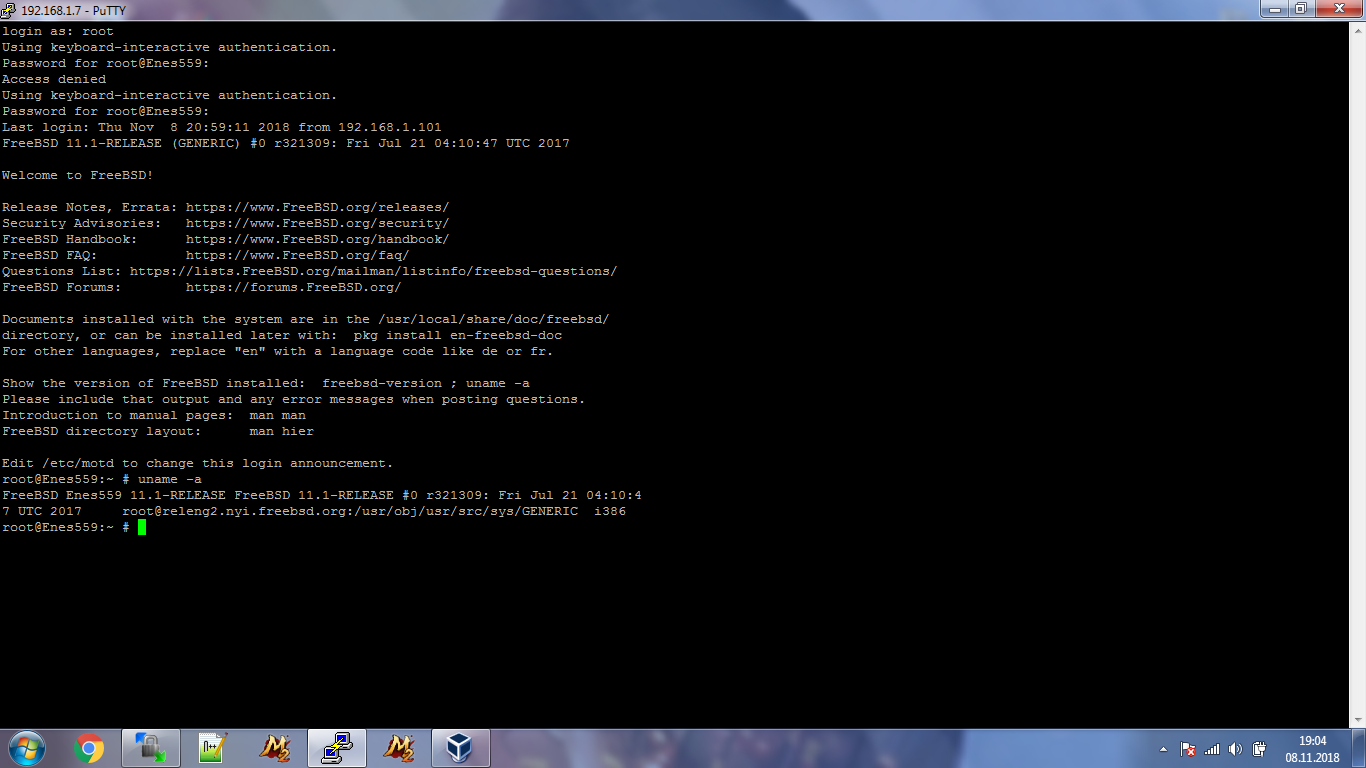
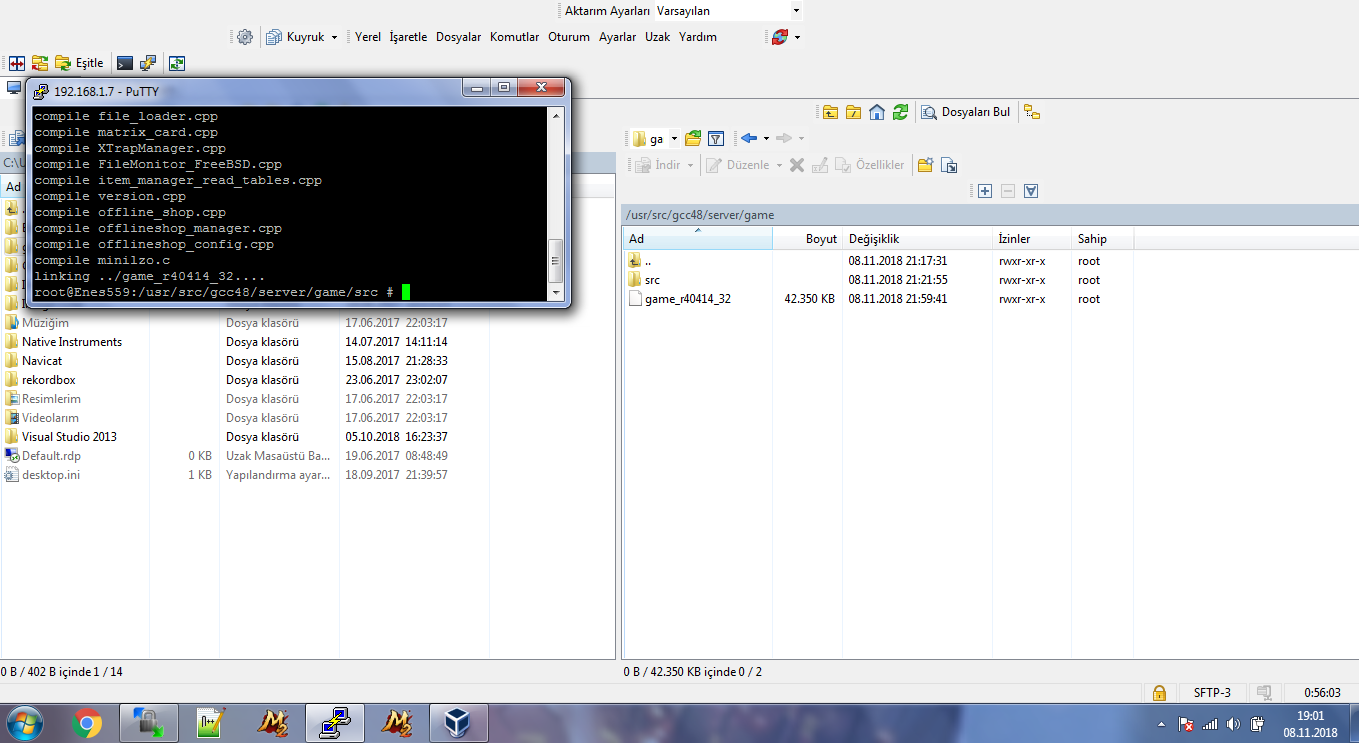
merhaba arkadaşlar bugün kendi kaynak dosyalarımı derlemek için kullandığım freebsd 11.1 sürümünü paylaşacağım içinde Source derlemek için gerekli tüm ekipmanlar kuruludur gönül rahatlığıyla dosyalarını atıp derleyebilirsiniz.
Kanıt:
FreeBSD 11.1 Üzerinde Kaynak Kod Derlemesi: Metin2 Sunucu Geliştirme Süreci
Metin2 özel sunucuları geliştirmek isteyenler için FreeBSD 11.1, oldukça stabil ve performanslı bir sistemdir. Özellikle C++ tabanlı kaynak kodlar üzerinde çalışırken, sistemin sağlamlığı büyük önem taşır. Bu makalede, FreeBSD 11.1 sürümü üzerinde Metin2 sunucu kaynak kodlarının nasıl derleneceği detaylı olarak ele alınacaktır.
Gerekli Ortamın Kurulması
Öncelikle FreeBSD sisteminizde gerekli derleme araçlarına sahip olduğunuzdan emin olmalısınız. Bu araçlar arasında GCC, make, cmake gibi temel derleme yardımcıları yer alır. FreeBSD 11.1 üzerinde clang derleyici varsayılan olarak gelir, fakat bazı eski C++ kaynak kodlarında GCC tercih edilebilir.
Aşağıdaki komutla gerekli paketleri yükleyebilirsiniz:
Kaynak Kodların Hazırlanması
Metin2 sunucu kaynak kodları genellikle C++ dilinde yazılmıştır. Bu kaynaklar genellikle game, auth ve db adında üç ana parçadan oluşur. Bu yapılar, sunucunun oyun motorunu, kimlik doğrulama işlemlerini ve veritabanı işlemlerini yönetir.
Kaynak kodları derlemeden önce, gerekli bağımlılıkların yüklenmesi gerekir. Bunlar şunlardır:
- MySQL veya MariaDB kütüphaneleri
- Boost kütüphanesi
- OpenSSL
- Event kütüphanesi
Bu kütüphaneler FreeBSD paket yöneticisi aracılığıyla kolayca kurulabilir:
Derleme İşlemi
Derleme işlemi genellikle cmake ve make komutları ile yapılır. Öncelikle kaynak kodların bulunduğu dizine gidin ve cmake komutunu çalıştırarak yapılandırma dosyasını oluşturun:
Derleme sırasında hata almanız durumunda, eksik kütüphane olup olmadığını kontrol etmelisiniz. Bazı durumlarda, FreeBSD'nin kütüphane yolları farklı olabilir; bu durumda CMAKE_PREFIX_PATH değişkenini ayarlamanız gerekebilir.
Yaygın Hatalar ve Çözümler
1. 'Boost not found' hatası: Bu durumda boost kütüphaneleri eksik ya da yanlış konumda olabilir. pkg-config ile konumu kontrol edin.
2. 'MySQL header not found': MySQL kütüphaneleri yüklü olsa bile header dosyaları eksik olabilir. mysql57-server yerine mysql57-client yüklediğinizden emin olun.
3. 'event.h not found': event kütüphanesinin doğru yüklendiğinden ve include yolu doğru belirtildiğinden emin olun.
Derleme Sonrası Yapılandırma
Derleme işlemi tamamlandıktan sonra, executable dosyaları genellikle 'Release' klasörü altında bulunur. Bu dosyalar, sırasıyla auth, game ve db sunucuları için kullanılabilir. Ayar dosyaları (.conf) ile birlikte doğru şekilde yapılandırılmaları gerekir.
Python betikleri (örneğin py root klasöründe bulunanlar), sunucu yönetiminde ve script yazımında yardımcı olur. Bu betiklerin doğru Python sürümüyle çalıştığından emin olun.
Sonuç
FreeBSD 11.1 üzerinde Metin2 sunucu kaynak kodlarını derlemek, teknik bilgi gerektiren bir işlemdir. Ancak doğru yapılandırılmış bir ortam ile bu süreç oldukça sorunsuz ilerleyebilir. Bu makale, özellikle Metin2 özel sunucu geliştiricileri için rehber niteliğindedir ve derleme sürecinde karşılaşılabilecek yaygın sorunlara çözümler sunar.
Source Compilation on FreeBSD 11.1: The Process of Metin2 Server Development
For those who want to develop Metin2 private servers, FreeBSD 11.1 is a highly stable and performant system. Especially when working with C++ based source codes, the robustness of the system is of great importance. In this article, how to compile Metin2 server source codes on FreeBSD 11.1 will be explained in detail.
Setting Up the Required Environment
Firstly, you must ensure that your FreeBSD system has the necessary compilation tools. These tools include basic compilation helpers such as GCC, make, and cmake. On FreeBSD 11.1, the clang compiler comes by default, but GCC may be preferred for some older C++ source codes.
You can install the required packages with the following command:
Preparing the Source Codes
Metin2 server source codes are generally written in the C++ language. These sources usually consist of three main parts named game, auth, and db. These structures manage the game engine, authentication processes, and database operations of the server.
Before compiling the source codes, the required dependencies need to be installed. These are:
- MySQL or MariaDB libraries
- Boost library
- OpenSSL
- Event library
These libraries can easily be installed via the FreeBSD package manager:
The Compilation Process
Compilation is usually done with cmake and make commands. First, go to the directory where the source code is located and run the cmake command to generate the configuration file:
If you encounter errors during compilation, check whether any libraries are missing. In some cases, FreeBSD's library paths might differ; in such situations, you may need to set the CMAKE_PREFIX_PATH variable.
Common Errors and Solutions
1. 'Boost not found' error: In this case, the boost libraries might be missing or located in the wrong place. Check its location with pkg-config.
2. 'MySQL header not found': Even if MySQL libraries are installed, header files may be missing. Ensure you have installed mysql57-client instead of mysql57-server.
3. 'event.h not found': Make sure the event library is correctly installed and the include path is properly specified.
Post-Compilation Configuration
After the compilation process is completed, executable files are generally located under the 'Release' folder. These files can be used for auth, game, and db servers respectively. They must be configured correctly along with their configuration files (.conf).
Python scripts (such as those in the py root folder) assist in server management and scripting. Ensure these scripts run with the correct version of Python.
Conclusion
Compiling Metin2 server source codes on FreeBSD 11.1 is a technical process requiring expertise. However, with a properly configured environment, this process can proceed quite smoothly. This article serves as a guide for Metin2 private server developers and provides solutions to common issues that may arise during the compilation process.
Kanıt:
İndirme
Uploading..
Uploading..
FreeBSD 11.1 Üzerinde Kaynak Kod Derlemesi: Metin2 Sunucu Geliştirme Süreci
Metin2 özel sunucuları geliştirmek isteyenler için FreeBSD 11.1, oldukça stabil ve performanslı bir sistemdir. Özellikle C++ tabanlı kaynak kodlar üzerinde çalışırken, sistemin sağlamlığı büyük önem taşır. Bu makalede, FreeBSD 11.1 sürümü üzerinde Metin2 sunucu kaynak kodlarının nasıl derleneceği detaylı olarak ele alınacaktır.
Gerekli Ortamın Kurulması
Öncelikle FreeBSD sisteminizde gerekli derleme araçlarına sahip olduğunuzdan emin olmalısınız. Bu araçlar arasında GCC, make, cmake gibi temel derleme yardımcıları yer alır. FreeBSD 11.1 üzerinde clang derleyici varsayılan olarak gelir, fakat bazı eski C++ kaynak kodlarında GCC tercih edilebilir.
Aşağıdaki komutla gerekli paketleri yükleyebilirsiniz:
Kod:
pkg install gcc git cmake autoconf automake libtool python27 py27-pipKaynak Kodların Hazırlanması
Metin2 sunucu kaynak kodları genellikle C++ dilinde yazılmıştır. Bu kaynaklar genellikle game, auth ve db adında üç ana parçadan oluşur. Bu yapılar, sunucunun oyun motorunu, kimlik doğrulama işlemlerini ve veritabanı işlemlerini yönetir.
Kaynak kodları derlemeden önce, gerekli bağımlılıkların yüklenmesi gerekir. Bunlar şunlardır:
- MySQL veya MariaDB kütüphaneleri
- Boost kütüphanesi
- OpenSSL
- Event kütüphanesi
Bu kütüphaneler FreeBSD paket yöneticisi aracılığıyla kolayca kurulabilir:
Kod:
pkg install mysql57-client boost-libs openssl eventlibDerleme İşlemi
Derleme işlemi genellikle cmake ve make komutları ile yapılır. Öncelikle kaynak kodların bulunduğu dizine gidin ve cmake komutunu çalıştırarak yapılandırma dosyasını oluşturun:
Kod:
cd /path/to/metin2/src[BR][/BR]cmake .[BR][/BR]makeDerleme sırasında hata almanız durumunda, eksik kütüphane olup olmadığını kontrol etmelisiniz. Bazı durumlarda, FreeBSD'nin kütüphane yolları farklı olabilir; bu durumda CMAKE_PREFIX_PATH değişkenini ayarlamanız gerekebilir.
Yaygın Hatalar ve Çözümler
1. 'Boost not found' hatası: Bu durumda boost kütüphaneleri eksik ya da yanlış konumda olabilir. pkg-config ile konumu kontrol edin.
2. 'MySQL header not found': MySQL kütüphaneleri yüklü olsa bile header dosyaları eksik olabilir. mysql57-server yerine mysql57-client yüklediğinizden emin olun.
3. 'event.h not found': event kütüphanesinin doğru yüklendiğinden ve include yolu doğru belirtildiğinden emin olun.
Derleme Sonrası Yapılandırma
Derleme işlemi tamamlandıktan sonra, executable dosyaları genellikle 'Release' klasörü altında bulunur. Bu dosyalar, sırasıyla auth, game ve db sunucuları için kullanılabilir. Ayar dosyaları (.conf) ile birlikte doğru şekilde yapılandırılmaları gerekir.
Python betikleri (örneğin py root klasöründe bulunanlar), sunucu yönetiminde ve script yazımında yardımcı olur. Bu betiklerin doğru Python sürümüyle çalıştığından emin olun.
Sonuç
FreeBSD 11.1 üzerinde Metin2 sunucu kaynak kodlarını derlemek, teknik bilgi gerektiren bir işlemdir. Ancak doğru yapılandırılmış bir ortam ile bu süreç oldukça sorunsuz ilerleyebilir. Bu makale, özellikle Metin2 özel sunucu geliştiricileri için rehber niteliğindedir ve derleme sürecinde karşılaşılabilecek yaygın sorunlara çözümler sunar.
Source Compilation on FreeBSD 11.1: The Process of Metin2 Server Development
For those who want to develop Metin2 private servers, FreeBSD 11.1 is a highly stable and performant system. Especially when working with C++ based source codes, the robustness of the system is of great importance. In this article, how to compile Metin2 server source codes on FreeBSD 11.1 will be explained in detail.
Setting Up the Required Environment
Firstly, you must ensure that your FreeBSD system has the necessary compilation tools. These tools include basic compilation helpers such as GCC, make, and cmake. On FreeBSD 11.1, the clang compiler comes by default, but GCC may be preferred for some older C++ source codes.
You can install the required packages with the following command:
Kod:
pkg install gcc git cmake autoconf automake libtool python27 py27-pipPreparing the Source Codes
Metin2 server source codes are generally written in the C++ language. These sources usually consist of three main parts named game, auth, and db. These structures manage the game engine, authentication processes, and database operations of the server.
Before compiling the source codes, the required dependencies need to be installed. These are:
- MySQL or MariaDB libraries
- Boost library
- OpenSSL
- Event library
These libraries can easily be installed via the FreeBSD package manager:
Kod:
pkg install mysql57-client boost-libs openssl eventlibThe Compilation Process
Compilation is usually done with cmake and make commands. First, go to the directory where the source code is located and run the cmake command to generate the configuration file:
Kod:
cd /path/to/metin2/src[BR][/BR]cmake .[BR][/BR]makeIf you encounter errors during compilation, check whether any libraries are missing. In some cases, FreeBSD's library paths might differ; in such situations, you may need to set the CMAKE_PREFIX_PATH variable.
Common Errors and Solutions
1. 'Boost not found' error: In this case, the boost libraries might be missing or located in the wrong place. Check its location with pkg-config.
2. 'MySQL header not found': Even if MySQL libraries are installed, header files may be missing. Ensure you have installed mysql57-client instead of mysql57-server.
3. 'event.h not found': Make sure the event library is correctly installed and the include path is properly specified.
Post-Compilation Configuration
After the compilation process is completed, executable files are generally located under the 'Release' folder. These files can be used for auth, game, and db servers respectively. They must be configured correctly along with their configuration files (.conf).
Python scripts (such as those in the py root folder) assist in server management and scripting. Ensure these scripts run with the correct version of Python.
Conclusion
Compiling Metin2 server source codes on FreeBSD 11.1 is a technical process requiring expertise. However, with a properly configured environment, this process can proceed quite smoothly. This article serves as a guide for Metin2 private server developers and provides solutions to common issues that may arise during the compilation process.
