

Yavaş yavaş hepsini ekleyeceğim. [ Kolay => Zor ] Konu Bütün ETC Eklenene Kadar Güncellenecektir.
Ziyaretçiler için gizlenmiş link,görmek için üye olmalısınız!
Giriş yap veya üye ol.
Ziyaretçiler için gizlenmiş link,görmek için üye olmalısınız!
Giriş yap veya üye ol.
Ziyaretçiler için gizlenmiş link,görmek için üye olmalısınız!
Giriş yap veya üye ol.
Ziyaretçiler için gizlenmiş link,görmek için üye olmalısınız!
Giriş yap veya üye ol.
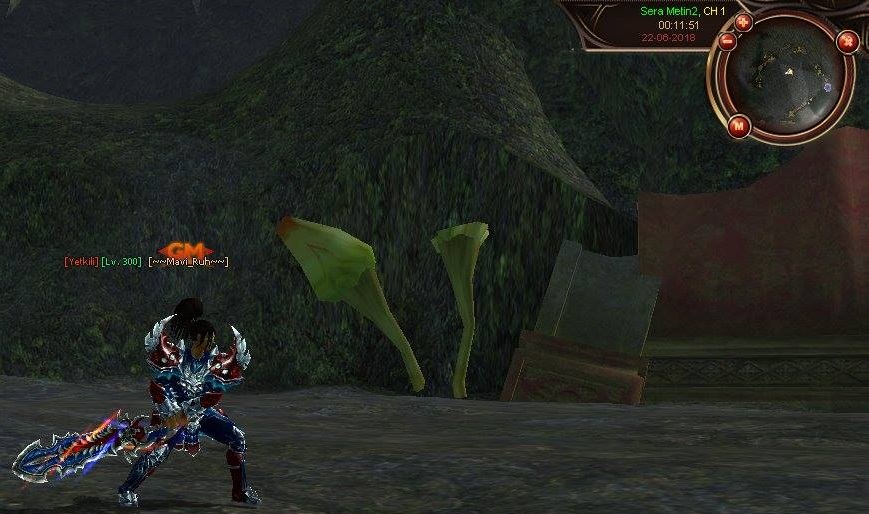
Metin2 Lobby olarak Metin2 özel sunucu geliştirme dünyasında en önemli konulardan biri olan Illumina Interface Ekleme süreci, geliştiricilerin kullanıcı deneyimini artırmada büyük rol oynar. Bu makalede Metin2 özel sunucularında Illumina Interface entegrasyonu nasıl yapılır, hangi adımlar izlenmelidir, hangi dosyalar düzenlenmelidir gibi konulara değineceğiz. Bu işlem, Metin2 sunucularında hem görsellik hem de işlevsellik kazandıran kritik bir özelliktir.
Illumina Interface Nedir?
Illumina Interface, Metin2 özel sunucularında yaygın olarak kullanılan modern bir arayüz sistemidir. Kullanıcı dostu tasarımı ve özelleştirilebilir yapısı sayesinde Metin2 geliştiricileri tarafından tercih edilir. Bu arayüz, Python GUI tabanlıdır ve uiscript dosyaları üzerinden çalışır.
Neden Illumina Interface Kullanmalısınız?
Metin2 özel sunucularında daha şık ve profesyonel bir arayüze sahip olmak istiyorsanız Illumina Interface çözüm olabilir. Modern tasarımı, kolay özelleştirilebilir yapısı ve Py GUI[/COORD] ile uyumlu olması sayesinde birçok geliştirici tarafından tercih edilir. Ayrıca, PvP sistemlerinde oyuncuların daha hızlı ve daha etkili bir şekilde bilgiye ulaşmasını sağlar.
Illumina Interface Kurulum Adımları
Metin2 özel sunucunuza Illumina Interface eklemek için aşağıdaki adımları takip edebilirsiniz:
Adım 1: Gerekli Dosyaları Hazırlayın
Illumina Interface dosyalarını güvenilir kaynaklardan temin edin. Genellikle .py uzantılı uiscript ve root dosyaları içerir. Bu dosyaları doğru şekilde Metin2 client klasörlerine yerleştirmeniz gerekir.
Adım 2: Uiscript Dosyalarını Yedekleyin
Illumina Interface eklerken mevcut uiscript dosyalarınızı yedek almanız önemlidir. Böylece herhangi bir sorun durumunda eski haline kolayca dönebilirsiniz.
Adım 3: Dosyaları Yerleştirin
Illumina Interface dosyalarını ilgili dizinlere kopyalayın. Genellikle root ve locale klasörlerine yerleştirilir. Py GUI dosyaları doğru yere yerleştirilmelidir ki sistem çalışsın.
Adım 4: Client SRC Düzenlemeleri
Metin2 client kaynak kodlarında bazı değişiklikler yapmanız gerekebilir. Özellikle game.py veya uiinventory.py gibi dosyalarda Illumina ile uyumlu hale getirme işlemleri yapılmalıdır.
Adım 5: Test ve Hata Ayıklama
Client[/COORD] başlatıldığında arayüzün doğru yüklendiğini kontrol edin. Herhangi bir hata durumunda log dosyalarını inceleyerek sorunu tespit edin. Python hatalarını düzeltmek için Metin2 geliştirme bilginizi kullanabilirsiniz.
Illumina Interface ile PvP Sistemleri Nasıl Geliştirilir?
Metin2 özel sunucularında PvP sistemleri için Illumina Interface oldukça uygundur. Örneğin, özel turnuva panelleri, PvP skor tablosu gibi arayüzler kolayca entegre edilebilir. Bu sayede oyuncuların daha fazla etkileşim kurması sağlanır.
Sonuç
Metin2 özel sunucularında Illumina Interface kullanmak, hem görsel hem de işlevsel olarak kullanıcı deneyimini ciddi anlamda artırır. Doğru şekilde kurulum yapıldığında, C++ ve Python tabanlı sistemlerle uyumlu çalışır. Metin2 Lobby olarak bu konuda size yardımcı olacak kaynakları sürekli paylaşmaya devam edeceğiz.
Metin2 Lobby as one of the most important topics in the world of Metin2 private server development is the process of adding Illumina Interface. In this article, we will discuss how to integrate Illumina Interface into Metin2 private servers, which steps should be followed, and which files need to be edited. This process adds both visual and functional improvements to Metin2 servers.
What is Illumina Interface?
Illumina Interface is a modern interface system widely used in Metin2 private servers. It is preferred by developers due to its user-friendly design and customizable structure. This interface is based on Python GUI and operates through uiscript files.
Why Should You Use Illumina Interface?[/BR]
If you want a more stylish and professional interface for your Metin2 private server, Illumina Interface can be a solution. Its modern design, easily customizable structure, and compatibility with Py GUI make it favored by many developers. Moreover, it allows players to access information faster and more effectively in PvP systems.
Steps for Installing Illumina Interface
To add Illumina Interface to your Metin2 private server, you can follow these steps:
Step 1: Prepare Required Files
Obtain Illumina Interface files from reliable sources. These usually contain .py extension uiscript and root files. You must place these files correctly into your Metin2 client folders.
Step 2: Backup Uiscript Files
It is important to backup your existing uiscript files when adding Illumina Interface. This way, you can easily revert to the original state if any issues arise.
Step 3: Place the Files
Copy the Illumina Interface files into their respective directories. Usually placed in root and locale folders. The Py GUI files must be placed in the correct location for the system to function properly.
Step 4: Client SRC Modifications
Some modifications may be required in the Metin2 client source code. Especially files like game.py or uiinventory.py might need adjustments to be compatible with Illumina.
Step 5: Testing and Debugging
When the client starts up, verify that the interface loads correctly. If any errors occur, examine the log files to identify the issue. You can use your Metin2 development knowledge to fix Python errors.
How to Develop PvP Systems with Illumina Interface?
Illumina Interface is highly suitable for PvP systems in Metin2 private servers. For example, custom tournament panels, PvP scoreboards, and similar interfaces can be integrated easily. This enhances player interaction significantly.
Conclusion
Using Illumina Interface in Metin2 private servers enhances both the visual and functional aspects of the user experience. When installed correctly, it works compatibly with C++ and Python-based systems. As Metin2 Lobby, we will continue to share resources to assist you in this area.
