

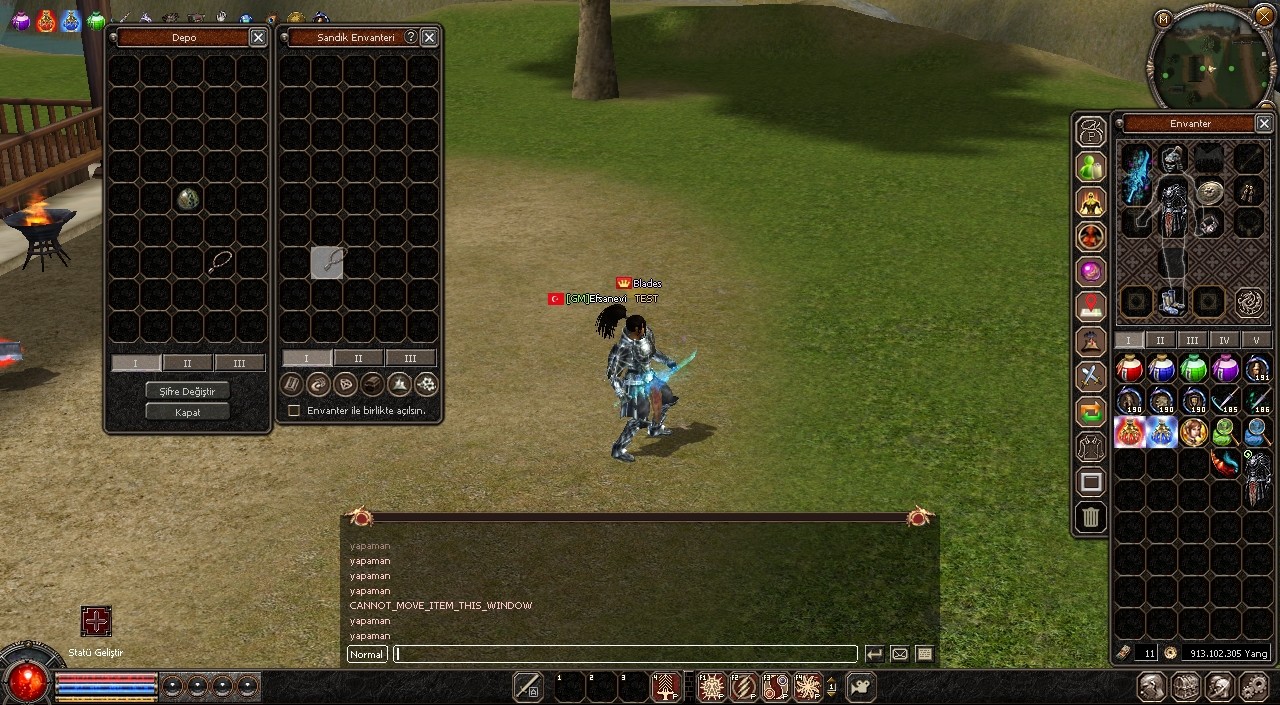
input_main safeboxcheckout altında arat
Kod:
if (!ch->IsEmptyItemGrid(p->ItemPos, pkItem->GetSize())) return;altına ekle;
// slot başlangıç ve bitişlerini kendi k envanterinize göre ayarlayın, sandık vs kullanıyorsanız
Kod:
for ( WORD k_envanter = SKILL_BOOK_INVENTORY_SLOT_START; k_envanter < STONE_INVENTORY_SLOT_END; ++k_envanter) { if (p->ItemPos.cell == k_envanter && !pkItem->IsUpgradeItem() && !pkItem->IsSkillBook() && !pkItem->IsStone()) { ch->ChatPacket(CHAT_TYPE_INFO ,LC_TEXT("Bu işlemi yapamazsın")); return; } }Metin2'de K Envanter Depoya Sürükleme Hatası Fix
Metin2 özel sunucularında geliştirme yaparken birçok geliştirici, oyuncu deneyimini artırmak amacıyla envanter sistemlerinde bazı geliştirmeler yapar. Bunlardan birisi de K envanterin (Quick Slot) depo ile entegrasyonudur. Ancak bazı durumlarda K envanterden bir eşya sürükleme işlemi sırasında depo ile bağlantı kurulduğunda hata oluşabilmektedir. Bu yazıda, K Envanter Depoya Sürükleme Hatası sorununu nasıl çözeceğinizi adım adım anlatacağız.
Hatanın Tanımı
Bu hata genellikle oyuncuların K envanterde bulunan bir eşyayı depoya sürüklemeye çalışmasından sonra ortaya çıkar. Eşya depoya düşmeyebilir ya da tamamen sistem çökmesine neden olabilir. Bu durumun temel sebebi genellikle client-side ile server-side arasında uyumsuzluk bulunmasıdır. Özellikle K envanter sistemleri özel olarak yapılandırıldığında bu tür hatalar daha sık meydana gelmektedir.
Teknik Nedenler
Hatanın temelinde bazı işlemlerde packet yapısının doğru şekilde aktarılamaması yatar. Client tarafından gönderilen eşya taşıma talebi, server tarafında yanlış yorumlanabilir. Bu da hem eşyanın doğru konuma taşınmamasına hem de serverda beklenmedik davranışlara yol açabilir. Özellikle uiscript ve py root üzerinde yapılan değişiklikler, bu sorunları tetikleyebilir.
Fix Uygulama Adımları
1. Client Tarafında Kontroller:
- uiscript dosyasında K envanter ile ilgili olan fonksiyonları kontrol edin.
- QuickSlotDragStart, QuickSlotDragEnd gibi fonksiyonlar doğru şekilde tanımlanmış mı?
- Depo açıkken K envanterden eşya sürüklenmesi durumunda özel bir fonksiyonun devreye girmesi sağlanmalıdır.
2. Server Tarafında Paket Kontrolü:
- Sunucu tarafında game/src dizinindeki envanter ve quickslot ile ilgili dosyaları inceleyin.
- char_item.cpp veya benzeri dosyalarda K envanterden gelen talepleri kontrol edin.
- Gerekirse C++ seviyesinde bir kontrol bloğu ekleyin.
3. Py Root Düzenlemeleri:
- root/game.py veya benzeri dosyalarda K envanter ile depo arasında eşya aktarımı için özel bir kontrol yazmanız gerekebilir.
- Örnek olarak, OnTopKeyBoardEvent fonksiyonu üzerinden K envanterden gelen talepleri yakalayıp, depo açıkken farklı bir fonksiyonu çağırmalısınız.
Önerilen Kod Yapısı
Aşağıda örnek bir Python kod parçası verilmiştir:
if self.wndInventory.IsDlgOpen() and self.wndQuickSlot.IsDragging():
if self.wndSafeBox.IsOpened():
self.__SendDepositItemPacket()
else:
self.__SendMoveItemPacket()
Yanlış Uygulamalar
Bazı geliştiriciler, K envanter ile depo arasında doğrudan bir bağlantı kurmaya kalkıştığında hatalar oluşabilir. Özellikle drag and drop eventlerinde eksik kontrol yapılmaması büyük sorunlara yol açabilir. Ayrıca, K envanterin depo ile entegrasyonu için Python GUI bileşenlerinde uyumsuzluklar oluşabilir. Bu yüzden her zaman try-except blokları ile hata yakalama yapılmalıdır.
Test ve Onaylama[/BR]
Fix uyguladıktan sonra sunucunuzu test edin. Oyuncuların K envanterden depoya eşya taşıyabildiğini ve hata alınmadığını kontrol edin. Eğer hala hata alınıyorsa, log dosyalarını kontrol ederek hangi paketin neden reddedildiğini inceleyin.
Metin2 özel sunucularında source edit ve compile işlemleri sırasında dikkat edilmesi gereken pek çok detay vardır. Bu fix, kullanıcı deneyimini ciddi anlamda artırır. Daha fazla Metin2 development ipucu için Metin2Lobby sitesini takip etmeye devam edin.
Fix for K Inventory Drag-and-Drop Error to Safebox in Metin2
While developing custom Metin2 servers, many developers make improvements in inventory systems to enhance player experience. One such improvement is integrating the Quick Slot (K Inventory) with the safebox. However, sometimes errors occur when dragging an item from the K inventory directly into the depot. In this article, we will explain step by step how to fix the K Inventory Drag-to-Safebox Error.
Error Description
This error typically occurs when players attempt to drag an item from their K inventory into the safebox. The item may fail to deposit or cause a complete crash. The main reason behind this issue is usually an inconsistency between the client-side and server-side. Specifically, when the K inventory system has been customized, these errors can occur more frequently.
Technical Causes
The root of the problem often lies in incorrect packet structure handling during the drag operation. The item transfer request sent by the client might be misinterpreted on the server side. This can lead to the item not being placed correctly, or unexpected behaviors in the server. Particularly, modifications made to uiscript and py root can trigger these issues.
Steps to Apply the Fix
1. Client-Side Checks:
- Check the functions related to the K inventory in your uiscript file.
- Are functions like QuickSlotDragStart, QuickSlotDragEnd properly defined?
- Ensure a specific function is triggered when attempting to drag an item to the safebox while it is open.
2. Server-Side Packet Checks:
- Review the inventory and quickslot-related files in the game/src directory of your server.
- Examine files like char_item.cpp for how requests from the K inventory are handled.
- If necessary, add a control block at the C++ level.
3. Py Root Modifications:
- You may need to write custom controls in root/game.py or similar files to handle item transfers between the K inventory and safebox.
- For example, use the OnTopKeyBoardEvent function to capture requests from the K inventory and call different functions if the safebox is open.
Suggested Code Structure
Here is an example Python code snippet:
if self.wndInventory.IsDlgOpen() and self.wndQuickSlot.IsDragging():
if self.wndSafeBox.IsOpened():
self.__SendDepositItemPacket()
else:
self.__SendMoveItemPacket()
Common Mistakes
Some developers attempt to establish a direct connection between the K inventory and the safebox, which can lead to errors. Especially, missing checks during drag and drop events can cause major problems. Additionally, inconsistencies in Python GUI components when integrating K inventory with the safebox can occur. Therefore, always implement try-except blocks to catch errors.
Testing and Verification
After applying the fix, test your server. Ensure that players can successfully move items from the K inventory to the safebox without errors. If errors persist, review the log files to see why certain packets are being rejected.
There are many details to consider during source edit and compile operations in custom Metin2 servers. This fix significantly enhances user experience. For more Metin2 development tips, continue following Metin2Lobby.
