

Ziyaretçiler için gizlenmiş link,görmek için üye olmalısınız!
Giriş yap veya üye ol.
Ziyaretçiler için gizlenmiş link,görmek için üye olmalısınız!
Giriş yap veya üye ol.
Ziyaretçiler için gizlenmiş link,görmek için üye olmalısınız!
Giriş yap veya üye ol.
Ziyaretçiler için gizlenmiş link,görmek için üye olmalısınız!
Giriş yap veya üye ol.
Ziyaretçiler için gizlenmiş link,görmek için üye olmalısınız!
Giriş yap veya üye ol.
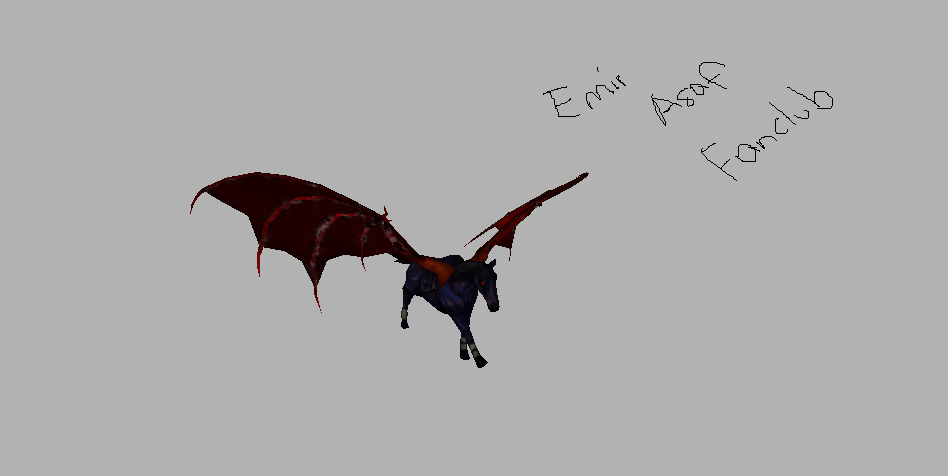
Kanatlı At Nedir ve Metin2'de Nasıl Kullanılır?
Metin2 dünyasında keşif yapmayı seven oyuncular için özel efektler, animasyonlar ve karakter modelleri büyük önem taşır. Bu bağlamda kanatlı at gibi efsanevi varlıklar, hem görsellik hem de oyun deneyimi açısından dikkat çeker. Bu yazıda, Metin2 içinde kanatlı at temalı modellerin nasıl üretildiğini, hangi araçlarla geliştirildiğini ve bu modellerin sunucu üzerinde nasıl kullanılacağını detaylıca ele alacağız.
Metin2'de 3D Modelleme ve Kanatlı At Temalı Modeller
Metin2, 3D grafikler üzerine yoğunlaşan bir MMORPG oyunudur. Oyuncuların karakterlerini, NPC'leri, canavarları, eşyaları ve harita nesnelerini geliştirmek için 3D modelleme tekniklerinden yararlanılır. Bu süreçte Blender, 3ds Max ve Granny gibi yazılımlar kullanılır. Kanatlı at gibi özel modeller ise genellikle custom model olarak sınıflandırılır ve oyunun standart yapısının dışına çıkartılarak estetik veya işlevsel olarak zenginleştirilmesi sağlanır.
Kanatlı At Modeli İçin Gerekli Teknik Adımlar
Bir kanatlı at modeli üretmek için öncelikle mesh yapısı oluşturulmalıdır. Bu yapı, modelin temel geometrisini oluşturur. Ardından UV mapping işlemiyle dokumalar (texture) doğru şekilde modele aktarılır. Rigging ve animation işlemleriyle kanat hareketleri, koşu animasyonları gibi detaylar eklenir. Bu noktada GR2 formatı çok önemlidir çünkü Metin2, bu formatı destekleyen özel bir model sistemine sahiptir. GR2 export ve import işlemleri bu format üzerinden yapılır.
Kanatlı At Modelini Sunucuya Entegre Etme
Oluşturulan kanatlı at modeli, doğru bone yapısıyla birlikte Metin2 sunucusuna entegre edilmeden çalışmayacaktır. Bu süreçte model replace işlemleri, mevcut at modelinin yerine özel modelin konmasını sağlar. Bunun için Metin2 development araçları, Metin2Dev veya Martysama gibi sistemlerden yararlanılır. Ayrıca texture ve skin dosyalarının da doğru konfigürasyonla yerleştirilmesi gerekir.
Özel Model Paketleri ve EterPack Kullanımı
EterPack ve benzeri sistemler, Metin2 sunucularında özel modellerin kolayca dağıtılmasını sağlayan pak mod sistemleridir. Kanatlı at gibi modeller, bu paketlerle birlikte sunucuya entegre edilir. Model pack veya visual mod olarak tanımlanan bu sistemler, sunucu yöneticilerinin oyun içi deneyimi zenginleştirmesine olanak tanır. Aynı zamanda bu modeller, NPC, monster, map object gibi diğer modellerle de uyumlu olacak şekilde tasarlanabilir.
Sonuç
Kanatlı at gibi özel modeller, Metin2 oyun deneyimini estetik ve teknik açıdan zenginleştiren unsurlardır. 3D modelleme, texturing, animasyon ve sunucu entegrasyonu gibi adımlar bir araya gelerek bu tür özel içeriklerin doğuşunu sağlar. Metin2lobby.com kullanıcıları olarak, bu tür modelleri daha fazla keşfetmek ve paylaşmak için birlikte çalışmalıyız.
What is a Winged Horse and How to Use It in Metin2?
For players who enjoy exploring the world of Metin2, special effects, animations, and character models are of great importance. In this context, legendary creatures like the winged horse attract attention both visually and in terms of gameplay experience. In this article, we will detail how winged horse-themed models are created in Metin2, what tools are used for their development, and how these models can be applied on servers.
3D Modeling in Metin2 and Winged Horse-Themed Models
Metin2 is an MMORPG game focused on 3D graphics. To enhance characters, NPCs, monsters, items, and map objects within the game, 3D modeling techniques are utilized. Software such as Blender, 3ds Max, and Granny are commonly used during this process. Special models like the winged horse are typically categorized as custom models, enhancing the game’s aesthetics or functionality beyond its standard structure.
Technical Steps Required for Creating a Winged Horse Model
To create a winged horse model, a mesh structure must first be built. This structure forms the basic geometry of the model. Then, through UV mapping, textures are correctly applied to the model. Rigging and animation processes add details such as wing movements and running animations. At this stage, the GR2 format becomes crucial, as Metin2 uses a specific model system that supports this format. GR2 export and import operations occur via this format.
Integrating the Winged Horse Model into the Server
The created winged horse model must have the correct bone structure to function properly when integrated into a Metin2 server. During this phase, model replace operations allow the custom model to replace the default horse model. For this purpose, Metin2 development tools, such as Metin2Dev or Martysama, are often used. Additionally, texture and skin files must be placed with correct configurations.
Custom Model Packages and EterPack Usage
EterPack and similar systems are mod packages that allow easy distribution of custom models in Metin2 servers. Models like the winged horse can be integrated into the server through such packages. These systems, known as model packs or visual mods, enable server administrators to enrich the in-game experience. Moreover, these models can be designed to be compatible with other types of models such as NPCs, monsters, and map objects.
Conclusion
Special models like the winged horse enhance the Metin2 gaming experience both aesthetically and technically. Steps including 3D modeling, texturing, animation, and server integration come together to bring such custom content to life. As users of Metin2lobby.com, we should work together to discover and share more of these kinds of models.
