

Merhaba Arkdaşlar 4 karakterin Objesi Kullanmak isteyen arkadaşlar olablilir
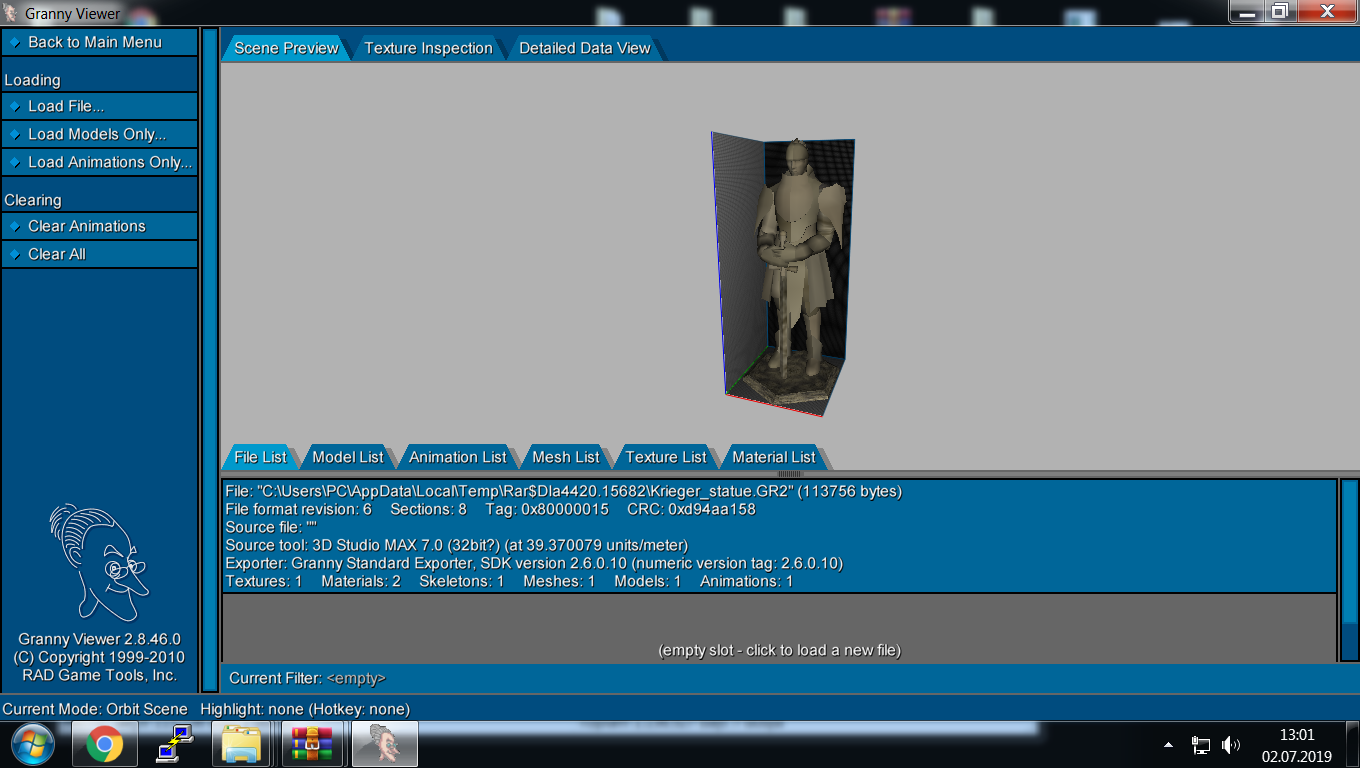

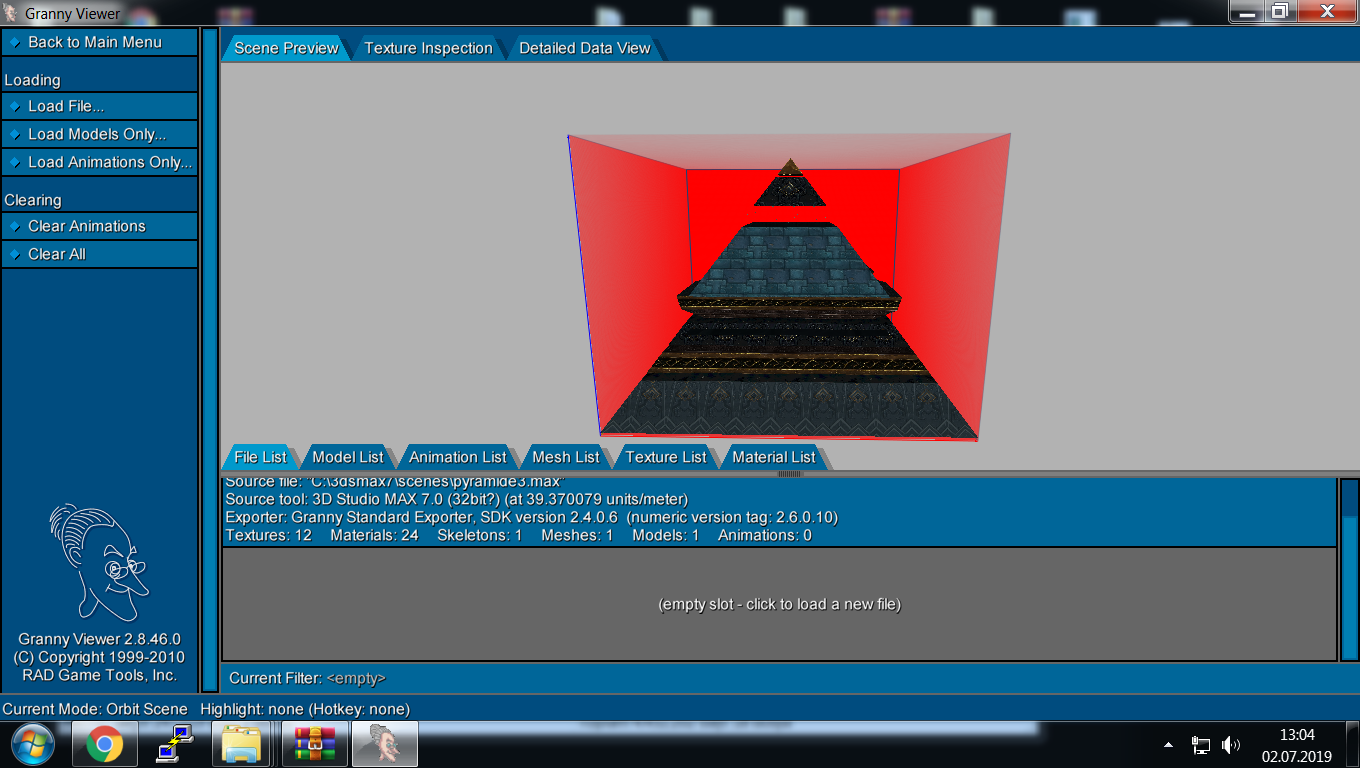
İndirme linki
Ziyaretçiler için gizlenmiş link,görmek için üye olmalısınız!
Giriş yap veya üye ol.
VT
Ziyaretçiler için gizlenmiş link,görmek için üye olmalısınız!
Giriş yap veya üye ol.
Karakter MAP OBJESİ Mısır Piramidi: Metin2 İçin 3D Modelleme Rehberi
Metin2 oyununda özel harita nesneleri (MAP OBJESİ) oluşturmak, özellikle Mısır Piramidi gibi dikkat çekici yapılara dönüştürmek, hem görsellik hem de atmosfer açısından büyük önem taşır. Bu rehberde, Metin2 oyununda kullanılacak bir Mısır Piramidi modelinin nasıl oluşturulacağını, hangi araçların kullanılacağını ve MAP OBJESİ olarak nasıl entegre edileceğini detaylıca ele alacağız. 3D Max, Blender ve GR2 formatları üzerinden anlatım yapılacaktır.
1. 3D Model Oluşturma Süreci
Öncelikle Mısır Piramidi referans resimleriyle çalışarak, Blender ya da 3DS Max gibi programlarda piramide benzeyen bir temel yapı oluşturmalısınız. Piramidin tabanını kare yaparak başlayın. Yüzeylerin detaylı olmasına dikkat edin. Kenar çizgileri, taş dokuları gibi unsurların detaylandırılması, modelin Metin2 dünyasında daha gerçekçi durmasını sağlar. Bu aşamada UV Mapping yaparak dokuların doğru yerlere oturmasını sağlamalısınız.
2. UV Map ve Dokuların Hazırlanması
Metin2 için hazırlanan modellerde UV Mapping süreci hayati öneme sahiptir. Piramit yüzeylerindeki taş doku, kumlu etkiler gibi unsurlar için özel olarak hazırlanmış texture dosyaları kullanmalısınız. Bu dokular genellikle .dds formatında olur ve Metin2 sistemine uyumlu olmalıdır. Doğru UV haritası sayesinde doku, modelin üzerine sorunsuzca yerleştirilir.
3. GR2 Formatına Dönüştürme
Metin2 oyun motoru, modelleri GR2 formatında kabul eder. Bu nedenle oluşturduğunuz 3D modeli GR2 formatına dönüştürmelisiniz. Martysama veya Metin2Dev gibi araçlar yardımıyla import ve export işlemleri gerçekleştirilebilir. GR2 formatına çevirme işlemi sırasında bone yapısı, mesh bilgisi ve animation verileri doğru aktarılmalıdır.
4. MAP OBJESİ Olarak Entegrasyon
Harita nesneleri (MAP OBJESİ), Metin2 dünyasında oyun içi mekanları zenginleştiren önemli ögelerdir. Piramit modeliniz artık GR2 formatında olduğuna göre, haritaya entegre edilmeye hazırdır. Map editor yazılımları ile haritanızda belirlediğiniz konuma bu nesneyi yerleştirebilirsiniz. Model replace işlemi ile var olan nesneleri bu özel modele dönüştürebilirsiniz.
5. Görsel Efekt ve Atmosfer Katkısı
Mısır Piramidi gibi özel objeler, oyun içinde hikaye anlatımı ve atmosfer yaratma açısından da oldukça değerlidir. Özellikle gece sahnelerinde efekt mod ile aydınlatma efektleri eklenerek görsel zenginlik artırılabilir. Visual mod ve graphic mod sistemleri ile bu yapılar daha da geliştirilebilir.
Sonuç
Metin2 dünyasında Karakter MAP OBJESİ olarak tanımlanan Mısır Piramidi modeli, hem teknik hem de yaratıcı yönüyle dikkat çeken bir projedir. 3D Max, Blender, GR2, UV Mapping gibi araçlarla desteklenen bu süreç, Metin2 geliştiricileri için değerli bir deneyim sunar. Metin2Lobby.com olarak bu tarz modellerin geliştirilmesini teşvik ediyor, topluluk üyelerinin yaratıcı projelerini destekliyoruz.
Character MAP OBJECT Egypt Pyramid: Guide for 3D Modeling in Metin2
Metin2 game, creating special map objects (MAP OBJECT), especially transforming them into eye-catching structures like the Egyptian Pyramid, is important both visually and atmospherically. In this guide, we will detail how to create a model of an Egyptian Pyramid for use in Metin2, which tools to use, and how to integrate it as a MAP OBJECT. The explanation will be provided using 3D Max, Blender, and GR2 formats.
1. 3D Model Creation Process
First, using reference images of the Egyptian Pyramid, you should build a basic pyramid-like structure in programs like Blender or 3DS Max. Start by making the base of the pyramid square. Pay attention to the details of its surfaces. Detailing elements like edge lines and stone textures will make the model look more realistic within the Metin2 world. During this phase, you should perform UV Mapping to ensure that textures are correctly placed on the model.
2. UV Map and Texture Preparation
In Metin2, the UV Mapping process is critically important for created models. For surface elements such as stone textures and sandy effects on the pyramid, specially prepared texture files must be used. These textures are generally in .dds format and must be compatible with the Metin2 system. With correct UV mapping, textures can be seamlessly applied to the model.
3. Conversion to GR2 Format
Metin2 game engine accepts models in GR2 format. Therefore, your 3D model must be converted to GR2 format. You can perform import and export operations using tools like Martysama or Metin2Dev. During the conversion to GR2 format, bone structure, mesh information, and animation data must be transferred accurately.
4. Integration as MAP OBJECT
Map objects (MAP OBJECT) are important elements that enrich the in-game environments of Metin2. Since your Pyramid model is now in GR2 format, it is ready to be integrated into the map. Using map editor software, you can place this object at a specific location in your map. You can also use model replace to transform existing objects into this special model.
5. Visual Effects and Atmospheric Contribution
Special objects like the Egyptian Pyramid are valuable for storytelling and atmosphere creation within the game. Especially in night scenes, adding lighting effects through effect mod can increase visual richness. These structures can be further enhanced with visual mod and graphic mod systems.
Conclusion
The Egyptian Pyramid model defined as a Character MAP OBJECT in the Metin2 world is a project that attracts attention from both technical and creative perspectives. This process, supported by tools such as 3D Max, Blender, GR2, and UV Mapping, offers valuable experience for Metin2 developers. At Metin2Lobby.com, we encourage the development of such models and support creative projects of our community members.
