

Ziyaretçiler için gizlenmiş link,görmek için üye olmalısınız!
Giriş yap veya üye ol.
Ziyaretçiler için gizlenmiş link,görmek için üye olmalısınız!
Giriş yap veya üye ol.
Kuru Kafalı Binek: Metin2 Oyununda 3D Modelleme Perspektifi
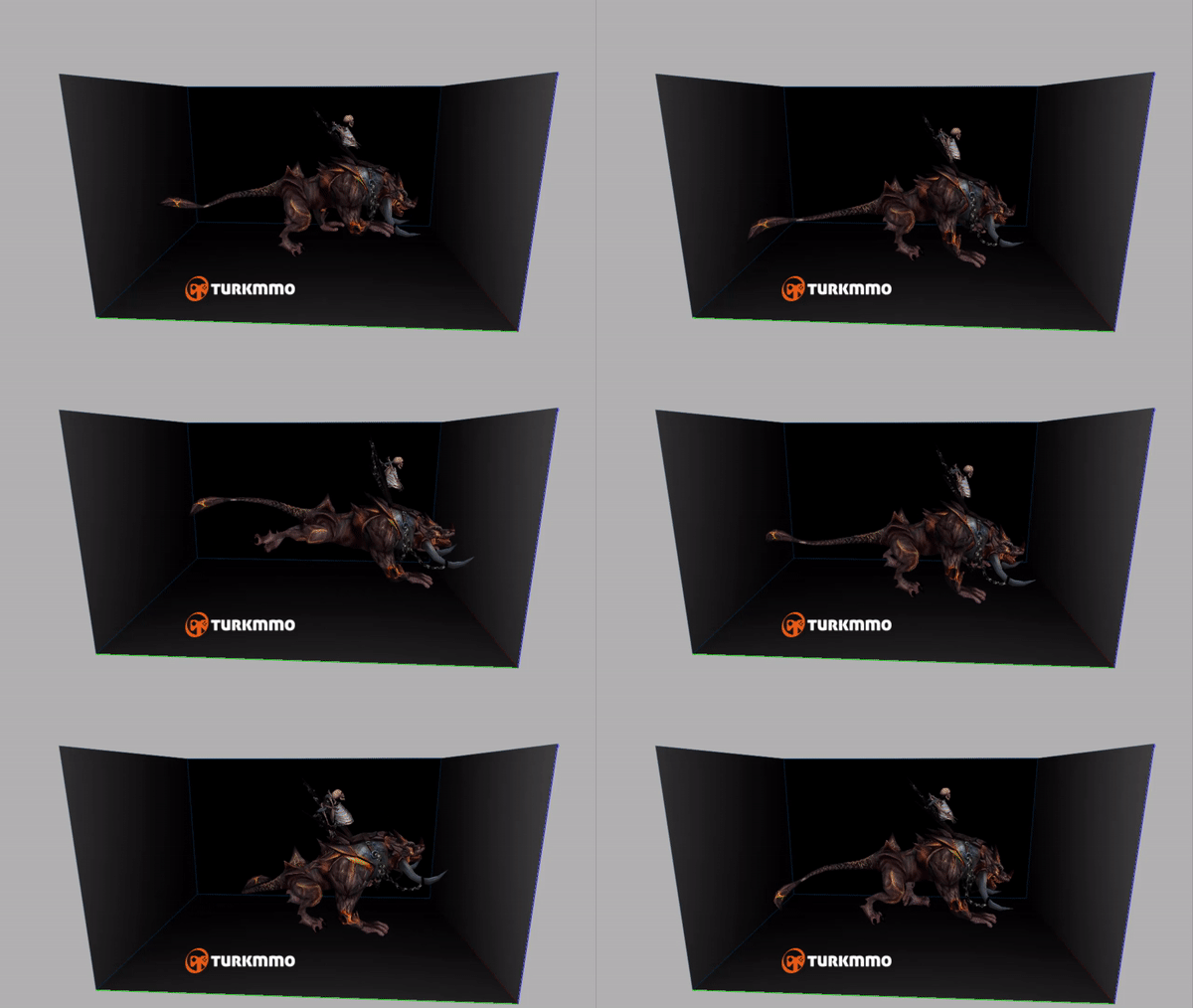
Metin2 oyununun gelişen görsel kalitesiyle birlikte, oyuncuların deneyimlediği karakterler, NPC'ler, canavarlar ve binekler de daha gerçekçi hale geliyor. Bu bağlamda, Kuru Kafalı Binek gibi özel binekler, hem oyun içi estetiği artırıyor hem de 3D modelleme uzmanlarının ilgi alanına giriyor. Bu yazıda, Metin2 oyununda yer alan Kuru Kafalı Binek'in 3D modelleme sürecinden bahsedecek, modelleme yaparken dikkat edilmesi gereken teknik detaylara değineceğiz.
Metin2 3D Modellemede Bineklerin Yeri
Metin2, özellikle Asya kökenli MMORPG severler tarafından yoğun ilgi gören bir yapıdır. Oyun içi deneyimi zenginleştiren unsurlardan birisi de binek sistemidir. Binekler, sadece taşıma fonksiyonu değil, aynı zamanda kişisel stil ve karakter yansıtmada de önemli rol oynar. Kuru Kafalı Binek gibi tematik binekler, oyuncular için hem estetik hem de koleksiyon değeri taşır. Bu nedenle, 3D modelleme dünyasında da dikkat çekerler.
Metin2 Binek Modellemesi İçin Gerekli Araçlar
Metin2 binek modellemesi yaparken, genellikle 3ds Max veya Blender gibi yazılımlar tercih edilir. Bu yazılımlar sayesinde, bineklerin anatomik yapısı, hareket mekanizması ve UV mapping işlemleri detaylı bir şekilde yapılabilmektedir. Ayrıca, modelin oyun motoruna aktarımı sırasında GR2 veya Granny3D formatları kullanılır. Bu formatlar, Metin2 geliştiricileri için kritik öneme sahiptir.
Kuru Kafalı Binek Modelinin Özellikleri
Kuru Kafalı Binek, adından da anlaşılacağı gibi, fantastik ve gothic bir yapıya sahiptir. Kafatası temalı başı, karanlık ve mistik dokusuyla dikkat çeker. 3D modelleme yapılırken bu temalar korunmalıdır. Özellikle göz boşlukları, kemik detayları ve deri dokusu gibi öğeler, yüksek detay seviyesiyle modellenmelidir. Bu sayede, model hem görsel açıdan etkileyici olur hem de orijinal oyun temasına sadık kalır.
UV Mapping ve Texture Uygulamaları
Modelin dokularını (texture) doğru şekilde uygulamak, görsel kaliteyi doğrudan etkiler. UV Mapping, modelin düz yüzeylere yayılması işlemidir. Kuru Kafalı Binek için, kemik dokusunu yansıtan gri-beyaz tonlar, metalik detaylar için siyah-metalik tonlar ve göz açıklıklarında ise fosforlu efektler kullanılabilir. Metin2'de texture boyutları genellikle 512x512 px veya 1024x1024 px olur. Yüksek çözünürlükler, modelin netliğini artırır.
Rigging ve Animasyon
Bineklerin doğru şekilde hareket etmesi için, modelin bone yapısı (iskelet sistemi) eksiksiz tanımlanmalıdır. Rigging işlemi, bu iskelet sisteminin modelin üzerine bindirilmesidir. Kuru Kafalı Binek modeli için, baş hareketleri, ayak bilekleri, kuyruk hareketleri gibi detaylar dikkate alınarak animasyonlar oluşturulmalıdır. Bu işlemler, genellikle Blender veya 3ds Max üzerinde Metin2 Animation araçlarıyla tamamlanır.
Modelin Oyuna Entegrasyonu
Modelleme ve animasyon işlemleri tamamlandıktan sonra, GR2 Export işlemi ile model Metin2 oyununa aktarılır. Bu esnada, Metin2Dev veya Martysama gibi araçlar kullanılır. Bu platformlar sayesinde, modelin doğru formatta paketlenmesi ve sunucuya entegre edilmesi sağlanır. Ayrıca, EterPack veya Eter gibi sistemler üzerinden modelin test edilmesi önemlidir.
Sonuç
Kuru Kafalı Binek, Metin2 oyunundaki 3D modelleme sanatının en çarpıcı örneklerinden birisidir. Görsel detaylar, teknik bilgi birikimi ve yaratıcılık bir araya geldiğinde, bu tür modeller hem oyun hem de sanat açısından değer kazanır. Eğer Metin2 için 3D modelleme yapmayı düşünüyorsanız, bu tür tematik bineklerle başlamanız önerilir. Metin2Lobby olarak biz de bu alandaki tüm projelere destek vermeye devam ediyoruz.
Dry Skull Mount: 3D Modeling Perspective in Metin2
With the evolving visual quality of Metin2, characters, NPCs, monsters, and mounts experienced by players are becoming more realistic. In this context, special mounts like the Dry Skull Mount enhance not only the in-game aesthetics but also draw attention from 3D modeling experts. In this article, we will discuss the 3D modeling process of the Dry Skull Mount in Metin2 and touch upon the technical details that should be considered during the modeling phase.
The Role of Mounts in Metin2 3D Modeling
Metin2 is a structure favored by MMORPG enthusiasts, especially those with Asian origins. One of the elements enhancing the in-game experience is the mount system. Mounts serve not only a transportation function but also play a significant role in personal style and character expression. Thematic mounts like the Dry Skull Mount carry both aesthetic and collectible value for players. Therefore, they also attract attention in the world of 3D modeling.
Tools Required for Metin2 Mount Modeling
When creating 3D models of mounts in Metin2, software such as 3ds Max or Blender are commonly preferred. These tools allow detailed work on the mount's anatomical structure, movement mechanisms, and UV mapping. Additionally, during the import process into the game engine, formats like GR2 or Granny3D are used. These formats are critical for Metin2 developers.
Features of the Dry Skull Mount Model
As its name suggests, the Dry Skull Mount has a fantastic and gothic structure. Its skull-themed head attracts attention with its dark and mystical texture. When creating the 3D model, these themes must be preserved. Details such as eye sockets, bone structures, and skin texture must be modeled with high detail levels to ensure the model is visually impressive while staying faithful to the original game theme.
UV Mapping and Texture Applications
Properly applying textures significantly impacts visual quality. UV Mapping is the process of unwrapping the model onto flat surfaces. For the Dry Skull Mount, gray-white tones reflecting the bone texture, black-metallic tones for metallic details, and phosphorescent effects for the eye openings can be used. In Metin2, texture sizes are typically 512x512 px or 1024x1024 px. Higher resolutions improve the clarity of the model.
Rigging and Animation
To ensure mounts move correctly, the model’s bone structure (skeleton system) must be fully defined. Rigging involves binding this skeleton to the model. For the Dry Skull Mount, animations must be created considering head movements, ankle joints, tail movements, etc. These processes are usually completed using Metin2 Animation tools within Blender or 3ds Max.
Integration of the Model into the Game
After completing the modeling and animation processes, the model is imported into Metin2 through a GR2 Export operation. Tools like Metin2Dev or Martysama are used during this stage to ensure the model is packaged in the correct format and integrated into the server. Testing the model via systems like EterPack or Eter is also crucial.
Conclusion
The Dry Skull Mount is one of the most striking examples of 3D modeling art in Metin2. When visual details, technical expertise, and creativity come together, such models gain value both as part of the game and as art. If you are considering 3D modeling for Metin2, starting with thematic mounts like these is recommended. At Metin2Lobby, we continue to support all projects in this field.
