

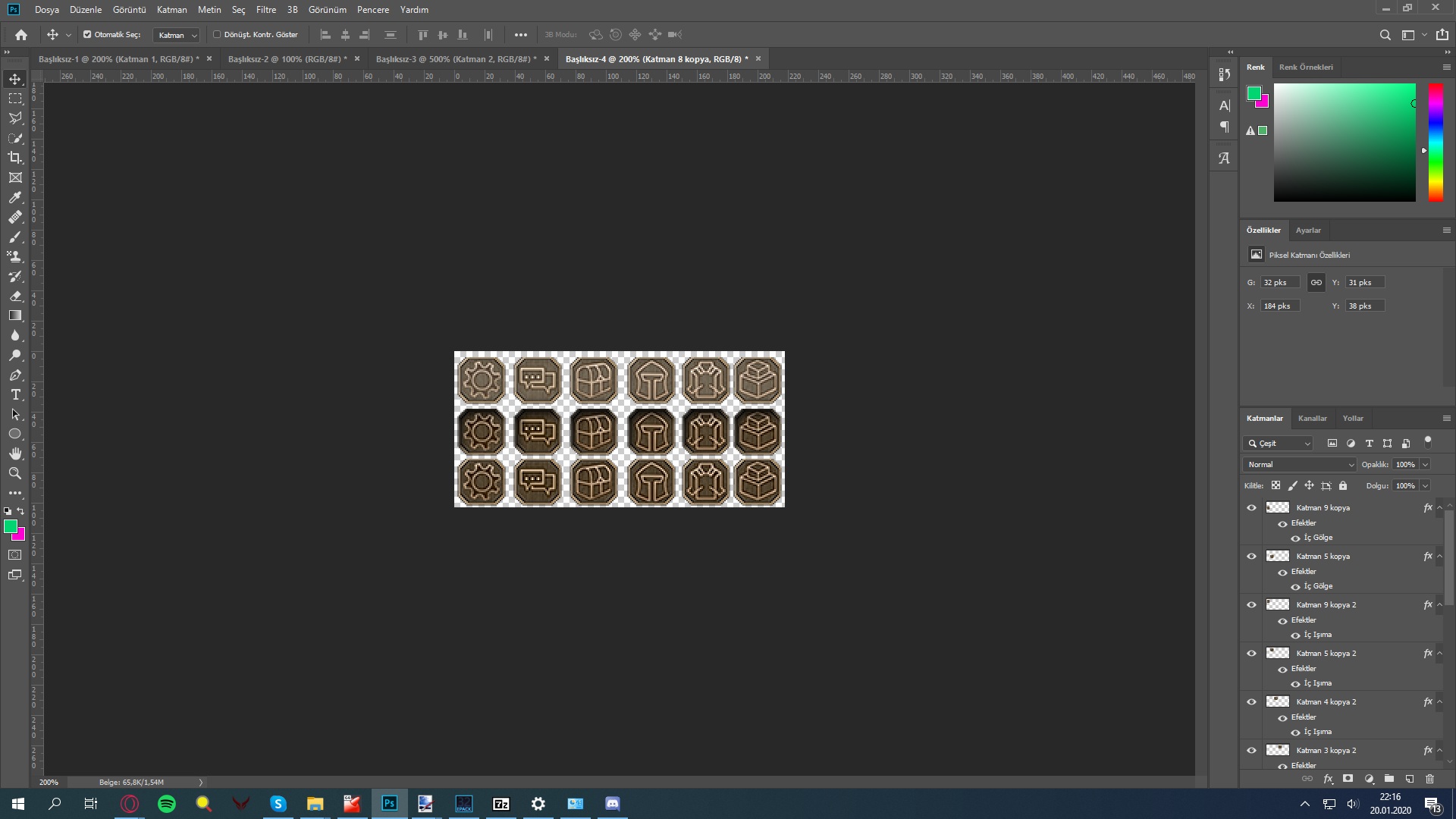
PSD halinde veriyorum katmanlara sağ tıklayıp png olarak dışa aktararak hepsini çıkartabilirsiniz.
1. Hali mouse üzerine getirince
2. Hali tıklayınca
3. hal normal dururken
1. haldeki beyazlık gözünüze fazla geldiyse kendinize göre ayarlayabilirsiniz.
Ziyaretçiler için gizlenmiş link,görmek için üye olmalısınız!
Giriş yap veya üye ol.
Ziyaretçiler için gizlenmiş link,görmek için üye olmalısınız!
Giriş yap veya üye ol.
Metin2.tc Yeni Butonlar: Gelişmiş İşlevsellik ve Kullanıcı Deneyimi
Merhaba değerli Metin2 severleri!
Bugün sizlere Metin2Lobby.com üzerinde yapılan son güncelleme ile ortaya çıkan yeni butonlar ve bu butonların getirdiği özelliklerden bahsedeceğiz. Bu yenilikler, özellikle Metin2 client indir, Metin2 pack indir ve Metin2 client edit gibi işlemleri kolaylaştırmak üzere tasarlandı. Amacımız, kullanıcılarımızın hızlı, güvenli ve sorunsuz bir şekilde içeriklere ulaşmasını sağlamak.
1. Hızlı İndirme Butonları
Artık ana sayfamızda yer alan 'Hızlı İndirme' bölümü sayesinde en popüler Metin2 client pack ve Metin2 pvp client dosyalarına saniyeler içinde ulaşabilirsiniz. Bu butonlar, özellikle yeni başlayan oyuncuların ihtiyaç duyduğu temel paketleri (örneğin Metin2 client dosyaları veya Metin2 pack dosyaları) hızlıca indirmesine olanak tanır. Her buton, ilgili içeriğin türünü (PVP, özel client, custom client vb.) açıkça belirtir.
2. Güncelleme ve Yama Takip Butonu
Sürekli güncellenen Metin2 client yama ve Metin2 client patch dosyalarını takip etmek artık çok daha kolay! 'Son Güncellemeler' butonu, en yeni sürümleri ve düzeltmeleri listeleyerek, eski sürümlerle yaşanan Metin2 client hata sorunlarını önler. Bu sayede her zaman en stabil ve güvenli sürümü kullanmış olursunuz.
3. Paket Açma ve Düzenleme Rehberi Butonu
Yeni eklenen 'Nasıl Açılır?' butonu, özellikle Metin2 pack aç veya Metin2 pack extract işlemlerinde karşılaşılan zorlukları ortadan kaldırmak için tasarlandı. Bu buton altında, adım adım rehberler ve görsel destekli anlatımlar bulunuyor. Ayrıca Metin2 client edit yapmak isteyenler için teknik ipuçları da yer alıyor.
4. Özel Client ve Skin Desteği
Artık Metin2 özel client veya Metin2 custom client arayanlar için ayrı bir filtreleme butonu mevcut. Bu sayede Metin2 client skin, Metin2 client texture ve Metin2 client effect gibi özelleştirme seçeneklerine kolayca ulaşabilirsiniz. Özellikle Metin2dev client ve martysama client gibi popüler versiyonlar önceden filtrelenmiş şekilde listeleniyor.
5. Hata Çözüm ve Destek Butonu
Herhangi bir Metin2 client fix ihtiyacı duyduğunuzda, 'Sıkça Karşılaşılan Hatalar' butonu size yardımcı olacak. Burada Metin2 client kurulum sırasında yaşanan sorunlar, başlatma hataları ve çözüm önerileri detaylı olarak anlatılıyor. Ayrıca doğrudan destek ekibimize ulaşabileceğiniz bir alt buton da bulunuyor.
XenForo ile Video ve Fotoğraf Ekleme!
Bu yeni butonların nasıl çalıştığını daha iyi anlamak için sitemizde XenForo entegrasyonu ile hazırladığımız kısa videolar ve ekran görüntüleri mevcut. Örneğin:
- 'Hızlı İndirme Nasıl Kullanılır?' videosu
- 'Paket Açma Adımları' fotoğraf galerisi
Bu içeriklere ana sayfadaki 'Yardım ve Rehberler' bölümünden ulaşabilirsiniz.
Sonuç
Metin2Lobby.com olarak amacımız, Türkiye'nin en güvenilir Metin2 client paylaşım ve Metin2 pack paylaşım platformu olmaya devam etmek. Yeni butonlarımızla birlikte kullanıcı deneyimini ön plana çıkararak, hem yeni oyuncuların hem de deneyimli editörlerin ihtiyaçlarını karşılıyoruz. Siz de bu yenilikleri deneyerek bize geri bildirimde bulunabilirsiniz!
İyi oyunlar ve bol eter!
Metin2.tc New Buttons: Enhanced Functionality and User Experience
Hello dear Metin2 players!
Today we will talk about the new buttons introduced with the latest update on Metin2Lobby.com and the features they bring. These innovations are designed to simplify processes such as Metin2 client download, Metin2 pack download, and Metin2 client edit. Our goal is to ensure users can access content in a fast, secure, and hassle-free manner.
1. Quick Download Buttons
Thanks to the newly added 'Quick Download' section on our homepage, you can now access the most popular Metin2 client pack and Metin2 pvp client files within seconds. These buttons allow new players to quickly download essential packages (such as Metin2 client files or Metin2 pack files). Each button clearly indicates the type of content (PVP, custom client, etc.).
2. Update and Patch Tracking Button
Keeping track of constantly updated Metin2 client patch and Metin2 client update files is now much easier! The 'Latest Updates' button lists the newest versions and fixes, preventing issues caused by outdated versions (Metin2 client errors). This ensures you always use the most stable and secure version.
3. Package Extraction and Editing Guide Button
The newly added 'How to Extract?' button eliminates difficulties encountered when performing operations like Metin2 pack extract or Metin2 pack open. Under this button, you’ll find step-by-step guides and visual tutorials. It also includes technical tips for those who want to perform Metin2 client edit.
4. Custom Client and Skin Support
There is now a dedicated filter button for those seeking Metin2 custom client or Metin2 special client. This allows easy access to customization options such as Metin2 client skin, Metin2 client texture, and Metin2 client effect. Popular versions like Metin2dev client and martysama client are pre-filtered and listed.
5. Error Fix and Support Button
When you need any Metin2 client fix, the 'Common Errors' button will assist you. It provides detailed explanations of issues encountered during Metin2 client installation, startup errors, and solution suggestions. There’s also a sub-button to directly contact our support team.
Adding Videos and Photos with XenForo!
To better understand how these new buttons work, we’ve prepared short videos and screenshots integrated via XenForo. For example:
- 'How to Use Quick Download' video
- 'Package Extraction Steps' photo gallery
You can access these contents through the 'Help & Guides' section on the homepage.
Conclusion
As Metin2Lobby.com, our aim remains being Turkey’s most reliable platform for Metin2 client sharing and Metin2 pack sharing. With our new buttons, we prioritize user experience while meeting the needs of both new players and experienced editors. Feel free to try these features and share your feedback!
Happy gaming and lots of yang!
