

Selamun Aleyküm Genç Olanlar Ve Kendini Genç Hissedenler.
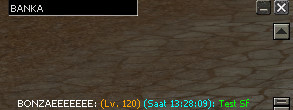
root/uiwhisper.py açılır
Aratılır
Ziyaretçiler için gizlenmiş link,görmek için üye olmalısınız!
Giriş yap veya üye ol.
Kod Bloğu Değiştirilir
Kodu Paste2'den Al :
Ziyaretçiler için gizlenmiş link,görmek için üye olmalısınız!
Giriş yap veya üye ol.
ÇALIŞTIĞINA DAİR KANIT
Metin2 Özel Sunucularında Yeni Sohbet Penceresi Oluşturma Rehberi
Metin2 özel sunucu geliştirme sürecinde kullanıcı deneyimini artırmak oldukça önemli bir konudur. Özellikle oyuncuların iletişim kurduğu sohbet penceresi, hem PvP sistemlerinde hem de genel oyun içi etkileşimlerde kritik bir rol oynar. Bu nedenle Python dilini kullanarak Py GUI ile yeni bir sohbet penceresi tasarlamak, hem görsel hem de fonksiyonel açıdan sunucunuza değer katacaktır.
Sohbet Penceresi Nedir?
Sohbet penceresi, oyuncuların mesaj gönderdiği, sistem bildirimlerinin görüntülendiği ve bazı özel sistemlerin çalıştığı arayüzdür. Varsayılan pencere yetersiz kalabilir; bu yüzden geliştiriciler yeni pencereler tasarlar. Bu tasarım genellikle uiscript dosyaları ve py root dosyalarıyla yapılır.
Neden Yeni Bir Sohbet Penceresi Gerekir?
Metin2 özel sunucularında farklı sistemler, PvP olayları, özel etkinlikler gibi pek çok durumda kullanıcıya bilgi vermek gerekir. Standart pencere sınırlı alana sahiptir ve görsel olarak modern değildir. Yeni bir pencere sayesinde:
- Daha fazla mesaj türü eklenebilir
- Renkli metinlerle önem seviyesi belirlenebilir
- Daha gelişmiş filtreleme sistemleri entegre edilebilir
- PvP bildirimleri ayrı bir sekmede gösterilebilir
Python GUI ile Tasarım Adımları
Python ile yazılmış bir GUI penceresi oluşturmak için öncelikle temel yapıyı oluşturalım. Bu yapıda bir metin kutusu, mesaj listesi ve gönder butonu olacaktır. Bu yapı uiscript ile entegre edildiğinde oyun içi arayüzde çalışır hale gelir.
UYARI: Bu işlem sırasında client src ve py root dosyalarında değişiklik yapılması gerekir. Kaynak koddan anlayan geliştiriciler için uygundur.
Tasarım Örnek Kod Yapısı
Örnek olarak bir pencere sınıfı oluşturalım:
class NewChatWindow(ui.ScriptWindow):
def __init__(self):
ui.ScriptWindow.__init__(self)
self.LoadWindow()
def LoadWindow(self):
try:
self.__LoadScript() # UI yükleme fonksiyonu
except: pass
Bu örnek, temel bir pencere yapısını oluşturur. Daha sonra bu pencereye butonlar, metin kutuları ve scrollbar eklenir.
PvP ve Sistem Bildirimleri İçin Özel Sekmeler
Oyuncuların PvP sistemlerinden gelen bildirimleri ayırt etmesi önemlidir. Bu nedenle pencereye sekme (tab) yapısı eklemek mantıklıdır. Her sekme farklı bir mesaj türü için kullanılabilir:
- Genel Sohbet
- PvP Bildirimleri
- Sistem Mesajları
- Özel Mesajlar
Renk ve Stil Ayarları
Her mesaj türüne özel renkler atanabilir. Örneğin:
- PvP bildirimleri kırmızı renkte
- Sistem mesajları mavi renkte
- Özel mesajlar yeşil renkte
gösterilebilir. Bu sayede kullanıcılar hızlıca hangi türden mesaj geldiğini anlayabilir.
Entegrasyon ve Test
Oluşturulan pencere, game server programming süreçleriyle entegre edilmeli ve test edilmelidir. Bu işlem sırasında db core ile mesajların doğru şekilde aktarılması sağlanmalıdır. Ayrıca pack dosyalarına eklenen yeni arayüz dosyalarının oyun istemcisinde doğru yüklenmesi gerekir.
Sonuç
Metin2 özel sunucularında kullanıcı dostu ve güçlü bir sohbet sistemi oluşturmak, oyuncu sadakatini artırır. Python GUI kullanarak özelleştirilmiş bir pencere tasarımı yapmak, gelişmiş PvP sistemlerine ve özel oyun mekaniklerine entegre olabilecek esnekliği sağlar. Bu tür geliştirmeler, hem source edit hem de compile işlemlerini gerektirir ama uzun vadede büyük faydası vardır.
Creating a New Chat Window for Metin2 Private Servers
In the process of developing Metin2 private servers, enhancing the user experience is highly important. Especially the chat window, where players communicate, plays a critical role in both PvP systems and general in-game interactions. Therefore, designing a new chat window using Python language with Py GUI will add value to your server both visually and functionally.
What Is a Chat Window?
The chat window is the interface where players send messages, system notifications are displayed, and some special systems operate. The default window may be insufficient, which is why developers design new windows. This design is usually done with uiscript files and py root files.
Why Do You Need a New Chat Window?
In Metin2 private servers, many situations such as different systems, PvP events, and special activities require delivering information to users. The standard window has limited space and lacks visual modernity. With a new window, you can:
- Add more message types
- Define importance levels with colored text
- Integrate more advanced filtering systems
- Display PvP notifications in a separate tab
Design Steps with Python GUI
To create a GUI window using Python, let's first establish the basic structure. This structure will include a text box, message list, and a send button. When integrated with uiscript, this window will function within the in-game interface.
WARNING: This process requires modifications to client src and py root files. It is suitable for developers familiar with source code.
Sample Code Structure
As an example, let's create a window class:
class NewChatWindow(ui.ScriptWindow):
def __init__(self):
ui.ScriptWindow.__init__(self)
self.LoadWindow()
def LoadWindow(self):
try:
self.__LoadScript() # UI loading function
except: pass
This example creates a basic window structure. Afterwards, buttons, text boxes, and scrollbars can be added to this window.
Special Tabs for PvP and System Notifications
It is important for players to distinguish notifications from PvP systems. Therefore, adding a tab structure to the window makes sense. Each tab can be used for a different type of message:
- General Chat
- PvP Notifications
- System Messages
- Private Messages
Color and Style Settings
Specific colors can be assigned to each message type. For example:
- PvP notifications in red color
- System messages in blue color
- Private messages in green color
This way, users can quickly identify the type of message received.
Integration and Testing
The created window should be integrated with game server programming processes and tested. During this process, the correct transfer of messages via db core must be ensured. Additionally, new interface files added to pack files must load correctly on the game client.
Conclusion
Creating a user-friendly and robust chat system in Metin2 private servers increases player loyalty. Designing a customized window using Python GUI provides the flexibility to integrate with advanced PvP systems and custom game mechanics. Such improvements require both source edit and compile operations but offer significant long-term benefits.
