

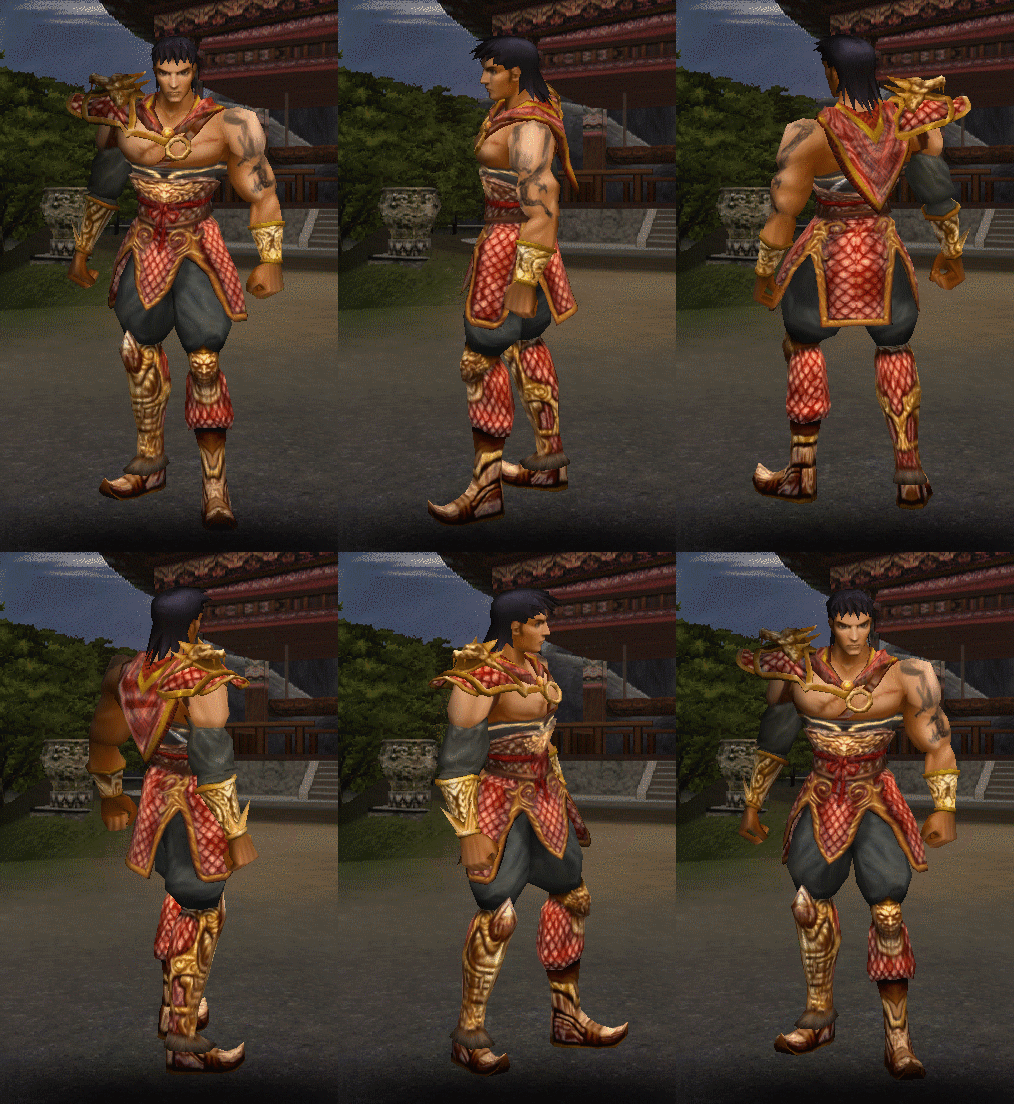
For

Ziyaretçiler için gizlenmiş link,görmek için üye olmalısınız!
Giriş yap veya üye ol.
<blockquote data-attributes="member: 2166295" data-quote="SkoriK" data-source="post: 19714161" class="bbCodeBlock bbCodeBlock--expandable bbCodeBlock--quote js-expandWatch is-expandable">
Kod:
self.startReservingTime = 0altına ekle:
Kod:
self.CharRotation = 0.0 self.CanRotateAnymore = Truedef StartGame(self): kod bloğunda arat
Kod:
chr.SelectInstance(i)altına ekle:
Kod:
chr.SetRotation(0.0)tekrar aynı kod bloğunda arat
Kod:
self.slot=self.slotaltına ekle:
Kod:
self.CanRotateAnymore = Falsearat:
Kod:
rotRadian = self.curRotation[i] * (math.pi*2) / 360.0üstüne ekle:
Kod:
chr.SelectInstance(i) self.RotateChar()arat:
Kod:
def EmptyFunc(self):kod bloğundan sonra ekle:
Kod:
def RotateChar(self): if self.CanRotateAnymore: if self.CharRotation > 360: self.CharRotation = 0 self.CharRotation += 0.5 chr.SetRotation(self.CharRotation)tab ayarlarını yaparsınız
Kod:
introselect.py açılır. self.startReservingTime = 0 # (Aratılır.) self.Rotation = 0 # (Altına Yapıştırılır) def PopupMessage(self, msg, func=0): # (Aratılır) self.Rotation = self.Rotation - 1 chr.SetRotation(self.Rotation) # (Üstüne Yapıştırılır.)Metin2 Oyunu İçin Python Kullanarak Karakter Seçim Ekranında Dönme Sistemi Geliştirme
Python dili, Metin2 özel sunucularında geliştirme yaparken oldukça yaygın olarak kullanılan güçlü bir araçtır. Bu yazıda, oyuncuların karakter seçim ekranında kendi karakterlerini serbestçe döndürebilmesini sağlayan karakter dönme özelliğini nasıl uygulayacağımızı adım adım ele alacağız. Bu özellik, kullanıcı deneyimini artırmak için önemli bir özelliktir ve uiscript, py root dosyaları üzerinden entegre edilebilir.
Karakter Seçim Ekranı Nedir?
Metin2 özel sunucularında oyuncular, oyuna girmeden önce sahip oldukları karakterler arasından seçim yaparlar. Bu ekranda genellikle karakterin ismi, leveli, cinsiyeti ve temel görünümü yer alır. Ancak standart sistemde karakterin yönü sabittir ve kullanıcılar onu hareket ettiremez veya döndüremezler. Bu durum, kullanıcı dostu bir arayüz için eksik bir özelliktir.
Python ile Karakterin Seçim Ekranında Dönmesi Nasıl Sağlanır?
Bu işlemi gerçekleştirmek için Python tarafında bazı değişiklikler yapmamız gerekir. Öncelikle, karakterin dönmesini sağlayacak olan mouse inputlarını yakalayacak bir sistem geliştirmemiz gerekir. Bunun için uiscript dosyasında bir drag fonksiyonu tanımlanabilir. Bu fonksiyon, mouse'un sağ veya sol hareketlerine göre karakterin dönmesini sağlar.
Adım Adım Uygulama
1. Mouse Input algılaması için character_select.py dosyasında bir event tanımlayın. Bu event, mouse sağ-sol sürükleme hareketlerini yakalayacaktır.
2. Bu event'e karşılık gelen renderer fonksiyonuna aktarılacak açısal değerlerle karakterin dönmesini sağlayın.
3. uiscript dosyasında bu fonksiyonları çağırarak arayüzle entegrasyonu tamamlayın.
Örnek Kod Yapısı:
def OnMouseMove(self, x, y):
if self.isDragging:
self.character.SetRotation(x * 0.5)
Avantajlar
• Oyuncular karakterlerini daha iyi gözlemleyebilir.
• Daha interaktif ve estetik bir arayüz sunulur.
• Sunucuya özgü özelleştirme imkanı sağlar.
Sonuç
Metin2 özel sunucularında kullanıcı deneyimi artırmak için küçük ama etkili değişiklikler yapmak mümkündür. Python[/BR] kullanarak karakterin seçildiği ekranda dönmesini sağlamak, bu değişikliklerden biridir. Bu tür sistemlerin geliştirilmesi için Metin2 Lobby gibi platformlardan destek alabilir ve örnek kodlara ulaşabilirsiniz.
Metin2 Character Rotation System on Selection Screen Using Python
Python is a powerful tool commonly used in developing custom Metin2 servers. In this article, we will explain step by step how to implement a character rotation feature that allows players to freely rotate their characters on the character selection screen. This feature enhances user experience and can be integrated through uiscript and py root files.
What Is The Character Selection Screen?
In Metin2 private servers, players select their characters before entering the game. Usually, the name, level, gender, and basic appearance of the character are shown on this screen. However, in the standard system, the character's direction is fixed and cannot be rotated by the player. This is considered a missing feature for a more user-friendly interface.
How To Implement Character Rotation on Selection Screen with Python?
To achieve this, some modifications must be made on the Python side. First, we need to develop a system that captures mouse inputs for rotating the character. For this purpose, a drag function can be defined in the uiscript file, which will rotate the character based on left or right mouse movements.
Step-by-Step Implementation
1. Define a Mouse Input detection event in character_select.py. This event will capture mouse drag motions (left-right).
2. Pass angular values to the corresponding renderer function to rotate the character accordingly.
3. Integrate these functions into the uiscript file to connect with the UI.
Sample Code Structure:
def OnMouseMove(self, x, y):
if self.isDragging:
self.character.SetRotation(x * 0.5)
Benefits
• Players can better observe their characters.
• Provides a more interactive and aesthetic interface.
• Offers customization options specific to your server.
Conclusion
Small but effective changes can enhance the user experience in Metin2 private servers. Allowing character rotation on the selection screen using Python is one such modification. You can find support and sample codes for such developments on platforms like Metin2 Lobby.
