

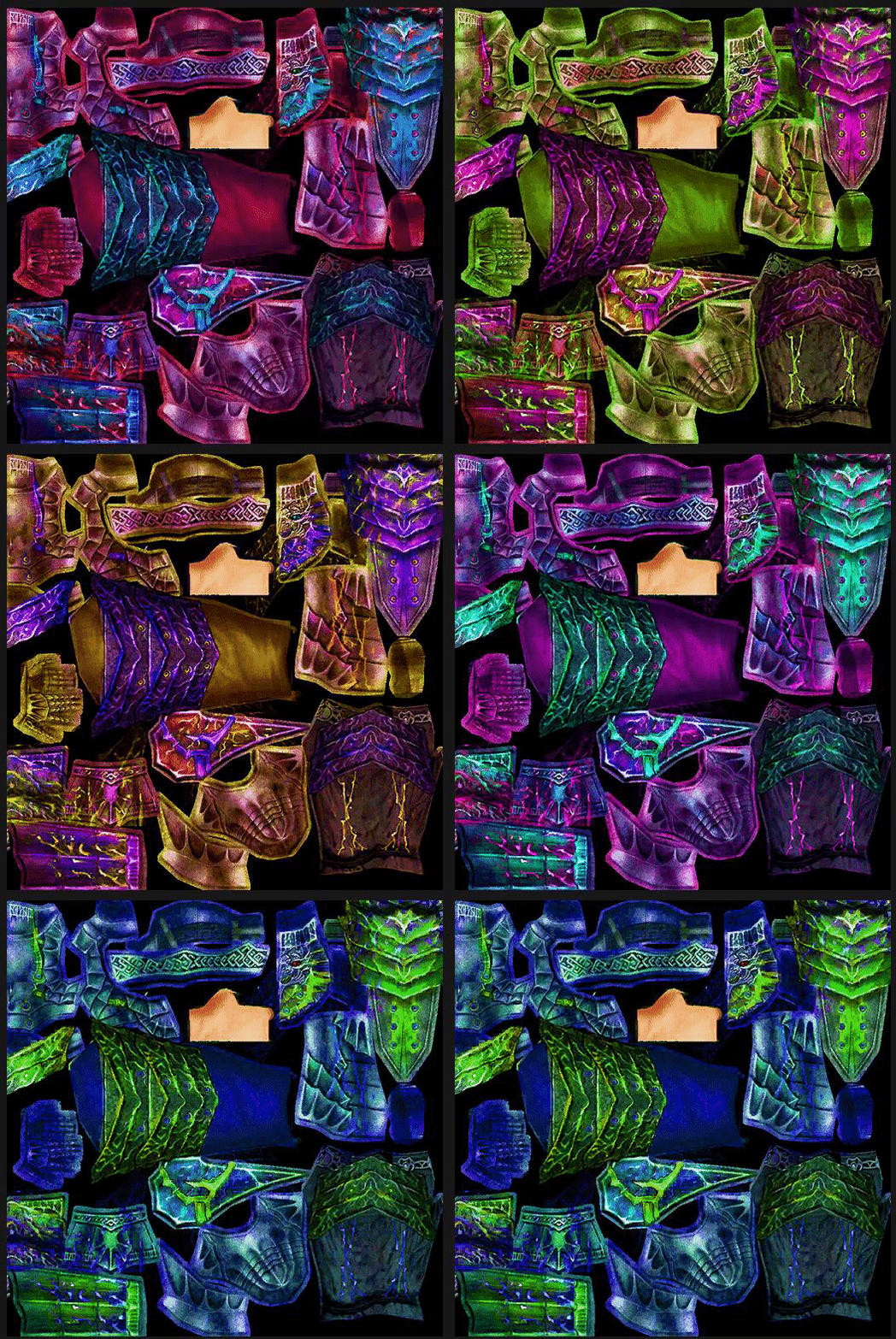
Umarım beğenirsiniz herkese iyi forumlar dilerim.
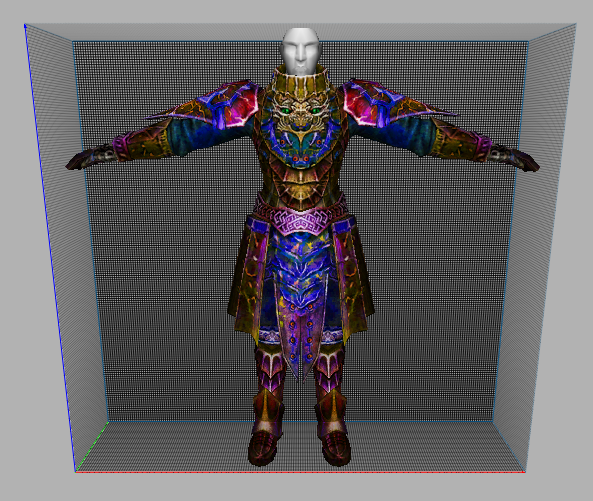
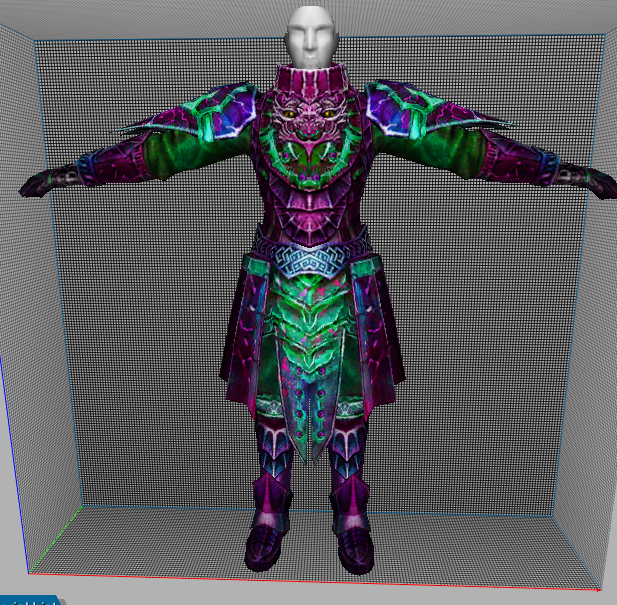
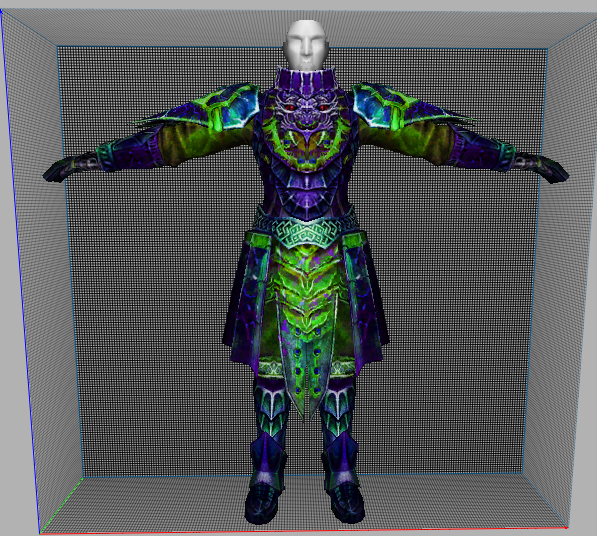
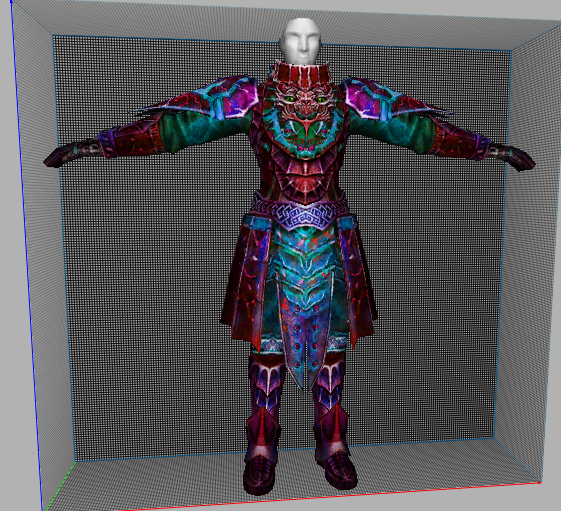
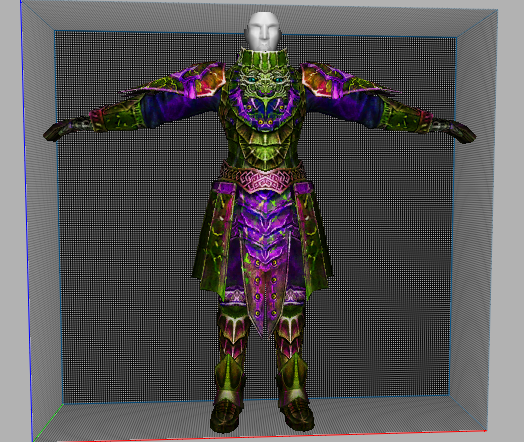
Ziyaretçiler için gizlenmiş link,görmek için üye olmalısınız!
Giriş yap veya üye ol.
Ziyaretçiler için gizlenmiş link,görmek için üye olmalısınız!
Giriş yap veya üye ol.
Zehirli Zırh Texture Nedir? Metin2 Lobby'de En Kaliteli Texture Modları
Metin2 oyununda karakterlerin estetik görünümüne katkıda bulunan en önemli unsurlardan birisi zırh ve armor tasarımlarıdır. Bu tasarımların daha gerçekçi, görsel açıdan çarpıcı hale getirilmesi için texture modlamaları kullanılır. Zehirli Zırh Texture, oyuncuların karakterlerine farklı bir hava katmayı amaçlayan özel bir zırh dokusudur. Bu yazıda, Metin2 Lobby üzerinden bu tür texture modlarının nasıl kullanılacağı, hangi araçlarla uygulanacağı ve neden bu kadar popüler olduğu hakkında detaylı bilgiler vereceğiz.
Metin2 Texture ve UV Mapping Kavramı
Metin2 oyununda texture, 3D modellerin dış yüzeylerine uygulanan grafiksel dokulardır. Texture dosyaları genellikle DDS formatında gelir ve modelin UV haritasına göre yerleştirilir. UV mapping, 3D modelin 2 boyutlu doku haritasıdır. Zehirli Zırh Texture gibi özel dokular, doğru UV haritası üzerinde çalıştırıldığında karakterin zırhının tamamını kaplayarak görsel olarak çarpıcı bir etki yaratır.
3DS Max ve Blender ile Texture Uygulama
Texture modlaması yapabilmek için genellikle 3DS Max veya Blender gibi 3D modelleme programları kullanılır. Bu programlar sayesinde Metin2 formatına uygun olan .gr2 ve .dds dosyaları kolayca düzenlenebilir. Zehirli Zırh Texture gibi özel efektli dokular, 3D modelin üzerine uygulanmadan önce bu programlar aracılığıyla test edilir ve gerekli ayarlamalar yapılır.
Granny3D ve GR2 Formatları Hakkında
Metin2 oyun motoru, 3D modelleri GR2 formatında işler. Bu format, Granny3D kütüphanesi tarafından desteklenir. Texture'lar bu modele uygulanmadan önce uyumlu bir yapıya sahip olmalıdır. GR2 Export ve Import işlemleri sırasında dikkat edilmesi gereken bazı teknik detaylar vardır. Bu işlemler için Metin2Dev gibi gelişmiş modlama araçları tercih edilir.
Zehirli Zırh Texture Efekti
Zehirli Zırh Texture, genellikle yeşilimsi, parlak ve toxik bir görünüme sahiptir. Bu efekt, karakterin zırhına uygulandığında sanki zırhın üzerinde bir zehir akıyor gibi bir illüzyon yaratır. Bu tarz görsel efektler, oyuncuların karakterlerine benzersiz bir kimlik kazandırır. Metin2 visual mod kategorisinde yer alan bu tür dokular, sunucuya özel olarak da yüklenebilir.
Texture Paketlerini Yükleme ve Kullanma
Metin2 texture modları genellikle paketler hâlinde sunulur. Bu paketler, EterPack ya da Martysama gibi sistemlerle oyuna entegre edilebilir. Zehirli Zırh Texture de bu paketlerden biri olabilir. Paketlerin doğru şekilde yüklenmesi için Metin2 model replace yöntemleri bilinmelidir. Bu işlem sırasında dosya yolları ve isimlendirmeler büyük önem taşır.
Sonuç
Zehirli Zırh Texture, Metin2 oyun deneyimini zenginleştiren görsel modlardan biridir. Metin2 Lobby üzerinden bu tür modlara ulaşmak oldukça kolaydır. Texture modlaması yaparken hem teknik bilgiye hem de estetik bir yaklaşıma ihtiyaç vardır. 3D modelleme, UV mapping ve GR2 formatında çalışmak isteyenler için bu alanda birçok kaynak ve topluluk mevcuttur.
What is Poison Armor Texture? The Best Texture Mods on Metin2 Lobby
One of the most important elements that contribute to the aesthetic appearance of characters in Metin2 is their armor designs. To make these designs more realistic and visually striking, texture mods are used. Poison Armor Texture is a special armor texture designed to give players' characters a different look. In this article, we will provide detailed information about how such texture mods are used via Metin2 Lobby, which tools are used for implementation, and why they are so popular.
Metin2 Texture and UV Mapping Concept
In Metin2, textures are graphical surfaces applied to the outer parts of 3D models. Texture files usually come in DDS format and are placed according to the UV map of the model. UV mapping is the 2D texture map of a 3D model. Special textures like Poison Armor Texture create a visually striking effect by covering the entire armor of the character when correctly applied over the UV map.
Applying Textures with 3DS Max and Blender
To perform texture modding, 3D modeling programs like 3DS Max or Blender are generally used. These programs allow easy editing of Metin2-compatible .gr2 and .dds files. Special textured items like Poison Armor Texture are tested and adjusted through these programs before being applied onto the 3D model.
About Granny3D and GR2 Formats
The Metin2 game engine processes 3D models in GR2 format. This format is supported by the Granny3D library. Before applying textures to the model, they must be compatible with this structure. There are some technical details to consider during GR2 Export and Import operations. Advanced modding tools like Metin2Dev are preferred for these operations.
Poison Armor Texture Effect
Poison Armor Texture typically features a bright, toxic-looking green appearance. When applied to the character's armor, this effect creates an illusion as if poison flows over the armor. Such visual effects provide players' characters with a unique identity. This type of texture falls under the category of Metin2 visual mod and can also be uploaded server-specifically.
Installing and Using Texture Packages
Metin2 texture mods are usually provided as packages. These packages can be integrated into the game via systems like EterPack or Martysama. Poison Armor Texture could be one of these packages. For proper installation of packages, Metin2 model replace methods must be known. During this process, file paths and naming conventions are crucial.
Conclusion
Poison Armor Texture is one of the visual mods that enrich the Metin2 gaming experience. It is quite easy to access such mods through Metin2 Lobby. When performing texture modding, both technical knowledge and an aesthetic approach are required. There are many resources and communities available for those who wish to work in 3D modeling, UV mapping, and GR2 formats.
