

Forumda Paylaşıldımı Görmedim Eğer Paylaşıldıysa Raporlayınız.
İyi Kullanımlar
İyi Forumlar...
İyi Kullanımlar
İyi Forumlar...
Ziyaretçiler için gizlenmiş link,görmek için üye olmalısınız!
Giriş yap veya üye ol.
Ziyaretçiler için gizlenmiş link,görmek için üye olmalısınız!
Giriş yap veya üye ol.
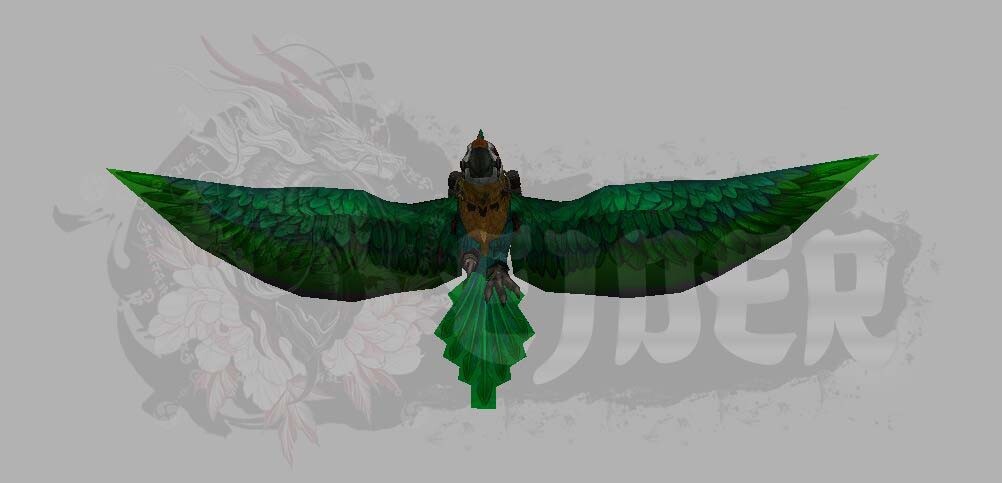
EJDER-Binek [18] Metin2 3D Modelleme Rehberi
Metin2 oyununda bulunan EJDER-Binek [18] karakteri, oyuncuların sevdiği ve dikkat çeken özel efektlerle donatılmış bir binici modelidir. Bu model, hem görsel olarak etkileyici hem de oyun içindeki rolüyle önemli bir özelliktir. Bu yazıda, Metin2Lobby sitesi üzerinden sunulan bilgiler doğrultusunda, EJDER-Binek [18]'in 3D model yapısı, nasıl değiştirileceği, hangi araçlarla düzenlenebileceği ve genel modelleme süreçleri hakkında detaylı bilgiler sunulacaktır.
Metin2 3D Modelleme Nedir?
Metin2 oyununda 3D modelleme, karakterlerin, NPC'lerin, canavarların, eşyaların ve harita objelerinin görsel yapılarının yeniden tasarlanması veya özelleştirilmesi anlamına gelir. Bu modellemeler genellikle 3DS Max, Blender gibi yazılımlar aracılığıyla yapılır. Elde edilen modeller, GR2 ya da Granny3D formatında oyun içine entegre edilir. GR2 export ve import işlemleri, modelin oyun tarafından doğru okunabilmesi için kritik öneme sahiptir.
EJDER-Binek [18] Model Özellikleri
EJDER-Binek [18], Metin2'de bir binici efekti olarak kullanılır. Oyuncu bu efekti aktif ettiğinde, karakterin arkasında devasa bir ejderha figürü belirir. Bu efekt, hem estetik açıdan hem de karakterin gücünü simgeleyen bir özelliktir. Modelin doğru şekilde çalışması için UV mapping, texture ve rigging süreçlerinin eksiksiz tamamlanmış olması gerekir.
Metin2 Model Edit Araçları
Metin2 3D modellerini düzenlemek isteyen geliştiriciler için bazı özel araçlar mevcuttur. Bunlardan birisi Martysama model editörleridir. Bu araçlar sayesinde, NPC model, monster model, character model gibi farklı tiplerdeki modeller kolayca değiştirilebilir. Metin2Dev ve EterPack gibi sistemlerle birlikte çalışan bu editörler, modelleme sürecini hızlandırır ve daha verimli hale getirir.
Model Değiştirme ve Yeni Tasarımlar
Oyuncuların ve geliştiricilerin en çok merak ettiği konulardan birisi, var olan bir modelin nasıl özelleştirileceği veya tamamen yeni bir modelin nasıl üretileceğidir. EJDER-Binek [18] gibi efekt modelleri için, custom model süreçleri önemlidir. Bu süreçlerde dikkat edilmesi gereken bazı teknik detaylar vardır:
- Mesh yapısının bozulmaması,
- Bone sisteminin doğru tanımlanması,
- Texture ve skin uyumunun sağlanması,
- Animation kompatibilitesinin korunmasıdır.
Metin2 Model Formatı ve Uyumluluk
Metin2, özel bir model formatı kullanır. Bu format genellikle GR2 dosya uzantısıyla ifade edilir. Granny3D de benzer bir yapıya sahiptir. Modellerin doğru şekilde oyun içine aktarılması için bu formatlara uyulmalıdır. Import ve export işlemleri sırasında format uyumu sağlanmadığında, model oyun içinde doğru görüntülenmeyebilir veya tamamen çalışmaz.
EJDER-Binek [18] İçin Özel Efekt ve Animasyonlar
Bu binici efekti, özel animasyonlarla birlikte gelir. Ejderhanın kanat çırpma, soluk püskürtme gibi hareketleri, animation dosyaları ile tanımlanır. Bu animasyonların doğru entegrasyonu, efektin doğal ve akıcı görünmesini sağlar. Ayrıca, efektin karakterle uyumlu çalışması için bone yapısının doğru tanımlanması gerekir.
Sonuç
EJDER-Binek [18], Metin2 oyunundaki görsel deneyimi zenginleştiren özel efekt modellerden biridir. 3D modelleme bilgisi olan geliştiriciler, bu tür efektleri özelleştirerek oyun içi deneyimi daha da ilginç hale getirebilir. Metin2Lobby üzerinden sunulan kaynaklar sayesinde, modelleme, texture, animation ve diğer konularda bilgi sahibi olmak artık daha kolay.
Dragon-Mount [18] Metin2 3D Modeling Guide
The Dragon-Mount [18] character in Metin2 is a popular rider effect known for its visually impressive features and special effects. This model is both aesthetically appealing and functionally significant within the game. In this article, we will provide detailed information on the 3D structure of Dragon-Mount [18], how it can be modified, which tools are used for editing, and general modeling processes, based on the knowledge provided via Metin2Lobby.
What Is Metin2 3D Modeling?
3D modeling in Metin2 refers to the redesign or customization of the visual structures of characters, NPCs, monsters, items, and map objects. These models are usually created with software like 3DS Max and Blender. The resulting models are integrated into the game in GR2 or Granny3D formats. GR2 export and import operations are critical for ensuring the model is correctly read by the game.
Dragon-Mount [18] Model Features
Dragon-Mount [18] appears as a rider effect in Metin2. When activated by the player, a giant dragon figure appears behind the character. This effect is visually striking and symbolizes the character's power. For the model to work correctly, UV mapping, texture, and rigging processes must be completed without errors.
Metin2 Model Editing Tools
There are specialized tools available for developers who wish to modify Metin2 3D models. One such tool is the Martysama model editor. With these tools, different types of models such as NPC model, monster model, and character model can be easily modified. Working together with systems like Metin2Dev and EterPack, these editors accelerate and streamline the modeling process.
Model Replacement and New Designs
One of the most frequently asked questions among players and developers is how to customize an existing model or create an entirely new one. For effects like Dragon-Mount [18], custom model processes are crucial. Some technical details to pay attention to during these processes include:
- Ensuring the mesh structure remains intact,
- Correctly defining the bone system,
- Maintaining compatibility between texture and skin,
- Preserving animation compatibility.
Metin2 Model Format and Compatibility
Metin2 uses a specific model format, generally identified by the GR2 file extension. Granny3D has a similar structure. To properly import models into the game, these formats must be adhered to. If format compatibility is not maintained during import and export operations, the model may not display correctly or fail to function altogether inside the game.
Special Effects and Animations for Dragon-Mount [18]
This rider effect comes with special animations. Movements such as the dragon flapping its wings or breathing fire are defined through animation files. Proper integration of these animations ensures that the effect appears natural and fluid. Additionally, the bone structure must be correctly defined so the effect works seamlessly with the character.
Conclusion
Dragon-Mount [18] is one of the special effect models that enhance the visual experience in Metin2. Developers with 3D modeling knowledge can customize these kinds of effects to make the in-game experience even more interesting. Thanks to the resources provided on Metin2Lobby, gaining expertise in modeling, texture, animation, and other related topics is now easier.
