

Önizleme
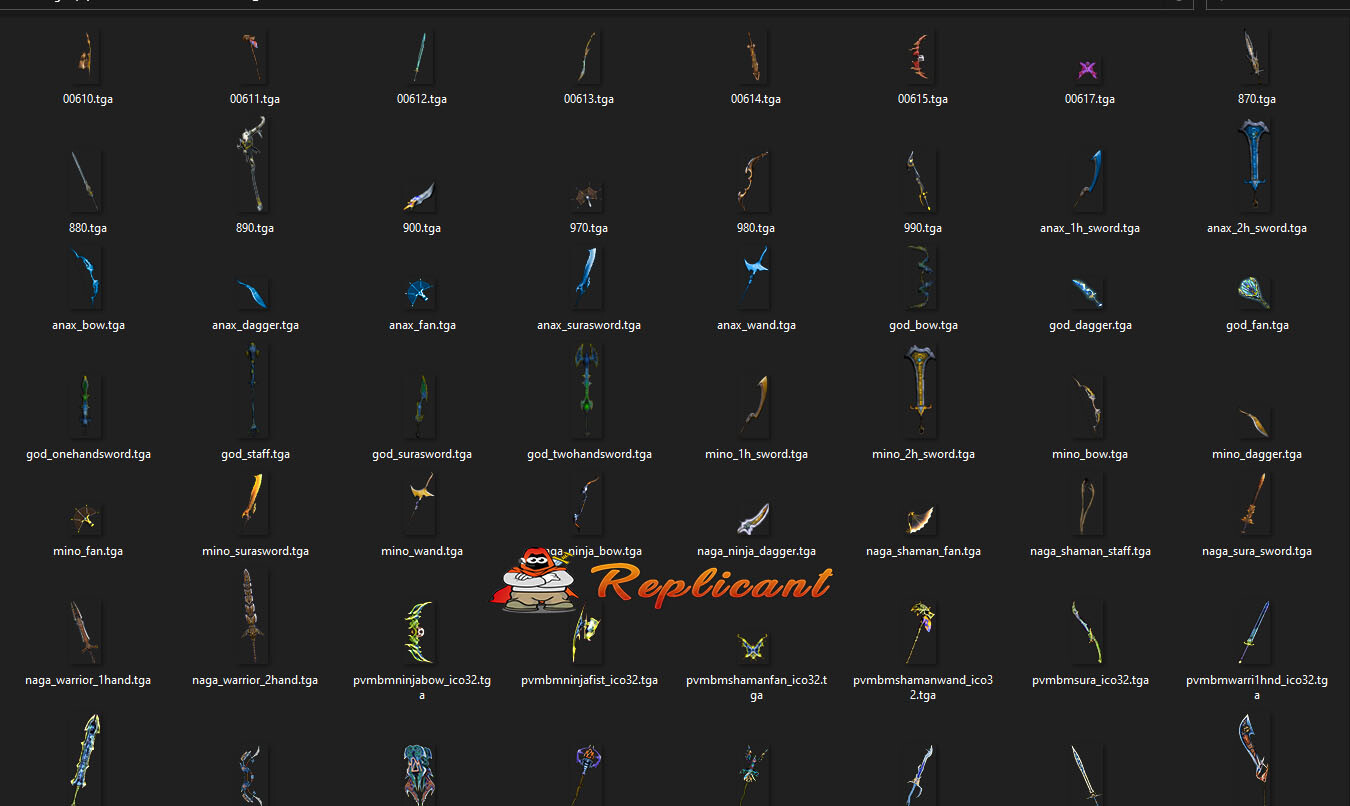
Ziyaretçiler için gizlenmiş link,görmek için üye olmalısınız!
Giriş yap veya üye ol.
-
Ziyaretçiler için gizlenmiş link,görmek için üye olmalısınız!
Giriş yap veya üye ol.
Ziyaretçiler için gizlenmiş link,görmek için üye olmalısınız!
Giriş yap veya üye ol.
Metin2'de M2M Weapons: 3D Silah Modellemesi ve Oyun İçeriğini Zenginleştirme
Metin2 Lobby, Metin2 oyununda 3D modelleme ve görsel içerik geliştirme konusunda uzmanlaşmış bir platformdur. Bu alandaki en dikkat çeken konulardan birisi de M2M Weapons yani Metin2 silah modelleridir. Bu makalede, Metin2 oyununda silahların 3D modellemesini nasıl yapacağınızı, hangi araçları kullanmanız gerektiğini ve bu modellemelerin oyun deneyimini nasıl zenginleştirdiğini detaylı olarak inceleyeceğiz.
Metin2 Silah Modellerinin Önemi
Metin2, grafiksel açıdan eski bir yapıya sahip olsa da, topluluk tarafından yapılan görsel mod ve özel model çalışmalarıyla hala popülerliğini korumaktadır. Özellikle silah gibi oyun içinde karakterlerin sürekli kullandığı objelerin yenilenmesi, hem görsel açıdan hem de oynanış deneyimi açısından büyük farklar yaratır. M2M Weapons, bu doğrultuda geliştirilen özel silah modellerini ifade eder.
Silah Modellemesi İçin Gerekli Araçlar
Blender ve 3ds Max gibi yazılımlar, Metin2 silah modellemek için en çok tercih edilen programlardır. Bu yazılımlar sayesinde mesh, bone, UV mapping, texture gibi detaylar üzerinde çalışmak mümkündür. Metin2'nin eski yapı formatı olan gr2 ve granny dosyalarıyla uyumlu model oluşturabilmek için özel eklentiler kullanılır.
GR2 ve Granny Formatı Nedir?
GR2 ve Granny, Metin2 oyun motorunun kullandığı 3D model formatlarıdır. Bu formatlar, modelin oyun içine doğru aktarılabilmesi için özel kurallara sahiptir. GR2 Import/Export eklentileri sayesinde Blender veya 3ds Max üzerinden hazırlanan modeller, Metin2 sistemine uygun hale getirilebilir. Bu sayede custom weapon veya effect model gibi içerikler üretmek mümkün olur.
Silah Tasarımı Süreci
Silah modellemeye başlamadan önce, oyun içindeki mevcut silah sistemine uygun bir yapı belirlenmelidir. UV mapping aşamasında dikkat edilmesi gereken nokta, dokuların doğru şekilde model üzerine oturmasıdır. Ayrıca animation uyumu için rigging işlemi eksiksiz yapılmalıdır. Bu işlemler doğru yapıldığında, Metin2 karakterlerinizin silahları çok daha gerçekçi ve etkileyici hale gelir.
Oyun İçinde Silah Model Değiştirme
Model replace işlemi, mevcut silah modelini özel bir modele dönüştürmek anlamına gelir. Bu işlem için eterpack ya da Martysama gibi sistemler kullanılabilir. Bu paketler sayesinde oyun içindeki tüm silahlar kolayca değiştirilebilir ve oyunculara farklı bir deneyim sunulabilir. Metin2Dev ve benzeri geliştirici platformları da bu konuda destek sağlar.
Metin2 Lobby Üzerinden Destek
Metin2 Lobby, M2M Weapons ve diğer modelleme süreçleri için gerekli araçlara, rehberlere ve topluluk desteğine sahiptir. Metin2 3D art, visual mod ve graphic mod konularında forum üzerinden birçok kaynak bulunabilir. Bu platform, özellikle model edit ve custom model oluşturma konularında tecrübeli kullanıcılar tarafından yönlendirilir.
M2M Weapons in Metin2: 3D Weapon Modeling and Enhancing Game Content
Metin2 Lobby is a platform specialized in 3D modeling and visual content development for the game Metin2. One of the most interesting topics within this field is M2M Weapons, which refers to Metin2 weapon models. In this article, we will examine in detail how to create 3D weapon models in Metin2, what tools you should use, and how these models enhance the gaming experience.
The Importance of Metin2 Weapon Models
Although Metin2 has an older graphical structure, it remains popular thanks to visual mods and custom models developed by the community. Updating objects like weapons, which are constantly used by characters in-game, creates significant differences both visually and in gameplay. M2M Weapons refers to custom weapon models developed in this direction.
Tools Required for Weapon Modeling
Software such as Blender and 3ds Max are the most preferred programs for creating Metin2 weapon models. These programs allow detailed work on mesh, bone, UV mapping, and texture. Special add-ons are used to create models compatible with Metin2’s legacy file formats, gr2 and granny.
What Are GR2 and Granny Formats?
GR2 and Granny are the 3D model formats used by the Metin2 game engine. These formats have specific rules that ensure the model can be correctly imported into the game. With GR2 Import/Export add-ons, models created in Blender or 3ds Max can be made compatible with Metin2 systems. This allows for the creation of custom weapons or effect models.
Weapon Design Process
Before starting weapon modeling, a structure compatible with the existing weapon system in the game must be determined. During the UV mapping stage, it is important that textures are applied correctly onto the model. Additionally, rigging must be completed accurately for animation compatibility. When these steps are done correctly, your Metin2 character's weapons become more realistic and impressive.
Replacing Weapon Models In-Game
Model replace refers to replacing an existing weapon model with a custom one. For this process, systems like eterpack or Martysama can be used. Thanks to these packages, all weapons in the game can easily be replaced, offering players a different experience. Developer platforms like Metin2Dev also provide support in this area.
Support Through Metin2 Lobby
Metin2 Lobby offers necessary tools, guides, and community support for M2M Weapons and other modeling processes. Resources regarding Metin2 3D art, visual mod, and graphic mod can be found on the forum. This platform is guided by experienced users especially in model edit and custom model creation.
