

Alıntı
Umarım Beğenirsiniz
Pek ilgi alanım değil official sistemler o yüzden panel üzerinde eksik bir şey olabilir bilmediğim için tamamlama gibi bir durumum yok
Umarım Beğenirsiniz
Pek ilgi alanım değil official sistemler o yüzden panel üzerinde eksik bir şey olabilir bilmediğim için tamamlama gibi bir durumum yok
Ziyaretçiler için gizlenmiş link,görmek için üye olmalısınız!
Giriş yap veya üye ol.
Ziyaretçiler için gizlenmiş link,görmek için üye olmalısınız!
Giriş yap veya üye ol.
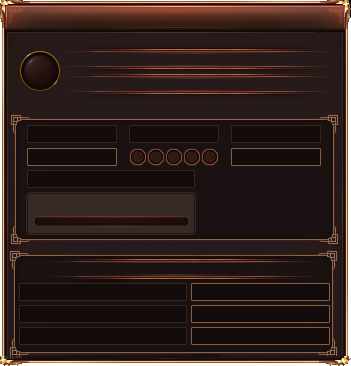
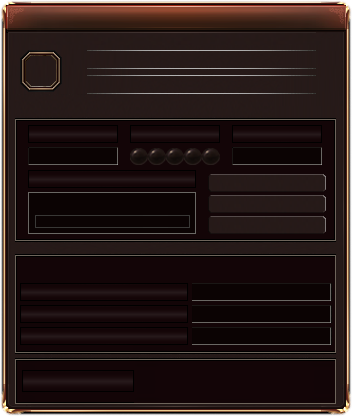
Illumina ETC Uyumlu Pet Penceresi ve Butonları
Metin2 oyuncuları arasında popülerlik kazanan Illumina ETC paketleri, özellikle PvP severler tarafından tercih edilen gelişmiş istemcilerdir. Bu tür paketlerde en çok aranan özelliklerden biri, oyun içi arayüzün (UI) kişiselleştirilebilir olmasıdır. Özellikle pet penceresi ve butonları, sürekli kullanılan unsurlardan olduğundan, onların Illumina ETC ile tam uyumlu şekilde çalışması büyük önem taşır.
Neden Illumina ETC Uyumlu Pet Arayüzü Gerekli?
Illumina ETC gibi özelleştirilmiş Metin2 paketleri, standart oyun dosyalarını derinlemesine değiştirir. Bu nedenle, normalde çalışması gereken pet penceresi veya yetenek butonları gibi bileşenler, paketin yapısıyla çakışarak hata verebilir, kaybolabilir veya işlevsel olmaktan çıkabilir. Bu sorunlar, oyuncu deneyimini ciddi şekilde olumsuz etkiler. Bu yüzden, Metin2Lobby.com gibi güvenilir platformlarda sunulan Illumina ETC uyumlu pet penceresi ve buton dosyaları, oyuncuların oyun keyfini zedelenmeden sürdürebilmesi açısından kritik öneme sahiptir.
Teknik Uyumluluk ve Kurulum Detayları
Illumina ETC ile uyumlu pet arayüzü dosyaları genellikle texture, lua script ve xml konfigürasyon dosyalarından oluşur. Bu dosyalar, paketin ana yapısıyla birebir eşleşecek şekilde tasarlanmıştır. Örneğin, pet penceresinin konumu, buton boyutları ve animasyonları, Illumina’nın ekran çözünürlüğüne ve UI sistemine göre optimize edilmiştir. Ayrıca, güncel Illumina ETC sürümleriyle test edilmiş olmaları, kurulum sonrası herhangi bir çakışma ya da hata riskini minimize eder.
Kurulum işlemi oldukça basittir: Genellikle client dosyalarına doğrudan yama (patch) şeklinde eklenen bu dosyalar, data klasörü altında belirli dizinlere yerleştirilir. Metin2Lobby.com üzerinden indirilen paketlerde, adım adım kurulum rehberi ve gerekli kontrol listeleri de bulunur. Bu sayede, hatta ilk defa paket düzenleyen oyuncular bile sorunsuz bir şekilde entegrasyon sağlayabilir.
Nasıl Doğru Dosyayı Seçersiniz?
Piyasada birçok farklı pet arayüzü bulunsa da, Illumina ETC ile tam uyumlu olanları seçmek gerekir. Bunun için dosya açıklamasında açıkça 'Illumina ETC Compatible' veya 'ETC Pack Ready' ifadesinin geçtiğinden emin olunmalıdır. Ayrıca, görsel önizleme içeren dosyalar, arayüzün nasıl görüneceğini önceden görmenizi sağlar. Metin2Lobby.com gibi platformlarda paylaşılan içerikler, genellikle kullanıcı yorumları ve puanlamalarıyla da desteklenir; bu da güvenilirliğini artırır.
Son olarak, güncelleme döngüsüne dikkat edilmelidir. Illumina ETC sürekli güncellenir ve yeni sürümlerde UI yapısı değişebilir. Bu nedenle, pet penceresi dosyasının da en son Illumina sürümüne uygun olup olmadığı kontrol edilmelidir. Aksi takdirde, eski dosyalar yeni paketle çakışarak oyunun çökmesine neden olabilir.
Illumina ETC ile mümkün olan her detayı optimize edin — pet pencereniz de bu deneyimin bir parçası olmalı!
Illumina ETC Compatible Pet Window and Buttons
Among Metin2 players, Illumina ETC packs have gained popularity, especially favored by PvP enthusiasts for their advanced client features. One of the most sought-after features in such packs is the customizability of the in-game user interface (UI). Specifically, the pet window and buttons are frequently used elements, making their full compatibility with Illumina ETC critically important.
Why Do You Need an Illumina ETC Compatible Pet Interface?
Customized Metin2 packs like Illumina ETC deeply modify the standard game files. Consequently, components such as the pet window or skill buttons—which normally function correctly—may throw errors, disappear, or become non-functional due to structural conflicts. These issues severely degrade the player experience. Therefore, Illumina ETC compatible pet window and button files, offered by trusted platforms like Metin2Lobby.com, are essential for maintaining seamless gameplay.
Technical Compatibility and Installation Details
Illumina ETC compatible pet interface files typically consist of texture, lua scripts, and xml configuration files. These are meticulously designed to match the core structure of the pack. For instance, the pet window’s position, button sizes, and animations are optimized according to Illumina’s screen resolution and UI system. Moreover, they are tested with the latest Illumina ETC versions, minimizing the risk of post-installation conflicts or bugs.
The installation process is straightforward: These files are usually added as a direct patch to the client files and placed in specific directories under the data folder. Packages downloaded from Metin2Lobby.com also include step-by-step installation guides and verification checklists, enabling even first-time pack editors to integrate them smoothly.
How to Choose the Right File?
While many pet interfaces are available on the market, only those explicitly labeled as 'Illumina ETC Compatible' or 'ETC Pack Ready' should be selected. Ensure the file description clearly states this compatibility. Additionally, files with visual previews allow you to see how the interface will look beforehand. Content shared on platforms like Metin2Lobby.com is often supported by user reviews and ratings, further enhancing reliability.
Finally, pay attention to the update cycle. Illumina ETC is continuously updated, and its UI structure may change in new versions. Hence, it’s crucial to verify whether the pet window file is compatible with the latest Illumina release. Otherwise, outdated files may conflict with the new pack and cause the game to crash.
Optimize every detail made possible by Illumina ETC—your pet window should be part of this enhanced experience!
